Talk to Us

The Role of Data Migration in Salesforce Implementation Success

Migrating to Salesforce isn’t simply getting done once the system is installed. Anyone who had been a part of the CRM transition would know that the entire process could be overwhelming and could feel like moving an entire warehouse while ensuring that there are no damages. You need to be very careful as any error can cause a lot to your business. That’s why it isn’t just having the right experts, it’s also about ensuring having a seamless data migration plan in place to ensure successful Salesforce implementation

Yet, many businesses underestimate it, until problems start showing up. Whether you’re working with an implementation partner for Salesforce or handling it internally, understanding the role of data migration can make or break your CRM success.

Why Data Migration Matters More Than You Think

Data migration is not simply about getting records moved from one system to another. It’s about keeping your business intelligence, customer history, and key insights intact so that Salesforce can actually be a growth engine. Here’s why data migration is a non-negotiable part of Salesforce implementation:

Preserving Business Continuity: Without accurate data, teams can’t function efficiently. Sales reps won’t have lead history, support teams won’t have past interactions, and executives won’t have meaningful reports.

Ensuring Data Accuracy: Conducting migration with unclean and sorted data would only lead to challenges. While conducting data migration, you can clean and validate data, ensuring everything is in the right place without any redundancies.

Reducing System Downtime: There can be chances of system downtime with a poorly planned data migration. That’s where you need a foolproof and well-executed migration in place to minimize disruptions.

Enhancing User Adoption: There are chances that employees will resist using a CRM that feels unreliable. Proper data migration ensures a seamless transition to a new system that encourages adoption.

The Stages of a Smooth Data Migration Process

Migrating data isn’t just about pressing a button, it’s a structured process that requires careful planning. Here’s a look at the essential stages of a successful Salesforce data migration:

1. Data Assessment: Knowing What You Have

Start with assessing your data that will include the following points:

– Listing all sources of data (legacy CRMs, spreadsheets, databases, etc.)

– Assessing quality of data, eliminating duplicates, incomplete records, and obsolete data

– Where data should be migrated and what can be archived

2. Data Cleansing: Garbage In, Garbage Out

Here are some data cleansing tips that you must consider before the migration process:

– Removing duplicate records

– Standardizing data formats (e.g., phone numbers, email addresses)

– Filling in missing or incomplete records

– Validating data integrity

3. Data Mapping: Aligning Fields for a Seamless Fit

Data mapping involves matching fields from the old system to Salesforce’s database structure. Each CRM has its own way of organizing data, so fields need to be correctly aligned, such as:

– Matching customer fields (e.g., “Client ID” in the old system to “Account ID” in Salesforce)

– Ensuring relationships between objects (e.g., linking contacts to the right accounts)

– Mapping custom fields accurately

Proper mapping prevents information from getting lost or misplaced during migration.

4. Data Migration Execution: The Big Move

Once everything is cleaned and mapped, the actual migration takes place. Many businesses work with native Salesforce tools like Data Loader to ensure smooth execution. The execution phase typically includes:

– Extracting data from legacy systems

– Transforming data to fit Salesforce’s schema

– Loading data into Salesforce in batches to prevent errors

– Testing small data sets before a full-scale migration

5. Post-Migration Validation: Checking for Errors

After migration, the work isn’t over. Rigorous validation ensures that data integrity is maintained. Key activities include:

– Running reports to verify data accuracy

– Checking record completeness

– Validating data relationships and links

– Conducting user testing to confirm usability

Without post-migration validation, businesses risk facing operational disruptions and inaccurate reporting.

Common Pitfalls to Avoid in Data Migration

Even with the best planning, data migration can go wrong. Here are some pitfalls businesses should watch out for:

Skipping Data Cleaning: Bringing over unclean data leads to inefficiencies and confusion.

– Not Testing Before Migration: Failing to test with sample data can result in widespread errors.

Poorly Defined Data Mapping: If fields aren’t mapped correctly, key business data may be lost.

Migrating Everything Unnecessarily: Not all legacy data needs to be moved; archiving old records can improve CRM performance.

Lack of User Training Post-Migration: If teams don’t know how to use the new system effectively, even the best migration efforts will fall short.

How an Implementation Partner Can Make the Process Smoother

It can be complex to migrate data and most businesses don’t have the right expertise to handle it. That’s where an implementation partner for Salesforce comes in. A Salesforce implementation consultant can:

– Guide data strategy and help clean data effectively

– Develop automated migration scripts for efficiency

– Ensure compliance with data security standards

– Provide hands-on support during and after migration

Consider Data Migration with Experts to Ensure CRM Success

Going for Salesforce implementation without a seamless and foolproof data migration strategy is like building a house on a shaky foundation. Businesses that focus on efficient data migration are able to achieve successful implementation and faster user adoption.

You can outsource to a Salesforce implementation partner or do it in-house, but the secret to success is planning, testing, and validation at each step. Taking the time and effort to follow a structured data migration guarantees that Salesforce doesn’t merely work, it excels as the foundation of your business processes. Don’t make data migration an afterthought. Contact our experts and make it the driving force behind a successful Salesforce transition.

Best Practices for a Successful Salesforce App Development Project

Creating an app for Salesforce is not about coding and shipping it live. If you ever worked on a Salesforce app development project, you understand how complex it is. From determining what the app is going to do to making it easy for people to adopt it, it is a process of strategic planning and ongoing improvement.

Many companies make the error of considering Salesforce app development as a project instead of taking it as an ongoing process. Instead, they need to make sure that a successful Salesforce app needs to be aligned with business objectives. You also need to have the support of expert developers who can follow the best practices for app development.

Defining Clear Objectives Before Development

Before you so much as contemplate writing a single line of code, you need to determine why you’re developing the app. Having clear objectives guarantees that your app has an actual business purpose and delivers quantifiable benefits. Ask yourself:

– What is the problem this app will address?

– Who will employ it, and how?

– How does this app integrate with current business processes?

By defining major use cases and success factors up front, you can prevent costly rework and keep your development on track.

Prioritizing User Experience and Performance

A great app isn’t just functional—it’s intuitive and easy to use. Salesforce mobile app development requires special attention to UI/UX since mobile users expect seamless navigation and fast performance. Some best practices include:

– Keeping the interface clean and user-friendly

– Ensuring responsive design for different screen sizes

– Optimizing page load speed to avoid performance lags

– Conducting usability testing with real users before deployment

By focusing on usability, you increase adoption rates and make your app an asset rather than an obstacle. Beyond design and usability, it’s important to continuously monitor how the application performs in real-world conditions. App performance monitoring tools help track response times, API activity, and system errors in real time. This allows development teams to quickly detect performance bottlenecks, identify issues affecting user experience, and optimize the application to ensure consistent reliability as usage grows.

Building Scalable and Secure Architecture

Salesforce applications must be scalable and secure to accommodate increasing volumes of data and changing business requirements. Security must never be an afterthought since data breaches can be expensive and disastrous. Keep these points in mind:

Optimize API: You need to make sure to optimize APIs if your application interacts with third-party apps or services. Additionally, it’s crucial to regularly assess and address cloud security vulnerabilities to prevent unauthorized access and protect sensitive business data.

Scalability: It is necessary that the app should scale with your business by using flexible data models and optimized queries.

Security: Work with the out-of-the-box security capabilities provided by Salesforce such as field-level security and MFA. Beyond Salesforce’s built-in security features, incorporating trusted application security testing ensures your app is safeguarded against potential vulnerabilities throughout the development lifecycle. Solutions like OX Security help teams detect, manage, and remediate risks early, strengthening overall application resilience and data protection. 

Including these considerations up front in Salesforce app development avoids expensive rework later on.

Leveraging Salesforce Development Support for a Smoother Process

Even the best in-house teams can benefit from Salesforce development support. Partnering with experienced developers ensures that your project runs efficiently and follows Salesforce best practices. Ways a development support team can help include:

– Providing guidance on technical architecture

– Assisting with integrations and third-party tools

– Debugging and troubleshooting complex functionality

– Offering best practices for performance optimization

Having the experts on board can save time, reduce errors, and help your team stay focused on innovation rather than just handling challenges.

Testing and Iterating Before Full Deployment

Launching an app without thorough testing is a recipe for disaster. Bugs, performance issues, and usability problems can quickly erode trust and make users reluctant to adopt the new solution. Follow these testing best practices:

Unit Testing: Verify individual components function correctly

– Integration Testing: Ensure smooth operation with other Salesforce apps and external systems

User Acceptance Testing (UAT): Get real users to test functionality and provide feedback

Performance Testing: Stress-test the app under different conditions to ensure it can handle real-world scenarios

Iterating based on feedback before a full-scale rollout ensures a more stable and user-friendly application.

Ongoing Salesforce App Maintenance and Support

Your job isn’t done once the app is live. Salesforce App Maintenance and Support is critical to ensuring long-term success. Regular updates keep the app relevant and address any new business or security requirements. Key maintenance activities include:

– Monitoring app performance and resolving issues proactively

– Rolling out updates based on Salesforce’s seasonal releases

– Enhancing features based on user feedback

– Ensuring continued compliance with security and data privacy regulations

Without proper maintenance, even the most well-built apps can become outdated and ineffective over time.

Set Your Salesforce App Up for Long-Term Success

A successful Salesforce application development project is not simply creating features, but rather making sure that they exist in an uncomplicated, safe, and adaptable solution with concrete business benefits. By maintaining top practices such as setting good goals, ensuring best UX, availing themselves of development resources, and maintaining emphasis on frequent care, you predestine your app to long haul success.
Whether you’re doing Salesforce mobile application development for company use or developing a solution to sell on the AppExchange, remembering these fundamentals makes the process easier and results more rewarding. And if you require professional expertise, having a Salesforce development support team can make all the difference. Contact our experts and you’ll be on your way to a successful launch.

Operating Globally? Don’t Miss Salesforce Time zone Tracking

Global business operations create vast opportunities despite many overlooked difficulties. One of these is managing different time zones. Your important client appointment and customer support become difficult due to conflicting time zones between locations. Salesforce time zone tracking offered by 360 Local Timezone Finder provides a solution needed in such situations. Time zone tracking proves essential for global operations and this requires further exploration in this blog.

What Time Zone Does Salesforce Use?

Businesses aiming to track time in Salesforce must understand the default time zone settings used by the system. The operating standard for Salesforce CRM relies on Coordinated Universal Time (UTC). Salesforce users have control over their selected time zone preferences through the user settings. Users must adjust timestamps, workflows, and scheduled tasks as per their local time zone for smooth operations.

Although Salesforce provides adaptable time zone management options, it remains challenging to handle different time zones worldwide along with clients and prospects. Working with teams in North America and clients in Europe yet vendors in Asia can lead to manual time zone coordination that may lead to mistakes along with missed chances due to incorrect scheduling. Efficient global operations depend on Salesforce time tracking tools which provide essential support in this case.

Why Should You Opt for Salesforce Time Zone Tracking?

Time zone tracking produces efficient outcomes on account of better accuracy, improved communication, and better client satisfaction. Understanding Salesforce time zone tracking becomes essential since it plays a critical role in business operations.

1. Accurate Scheduling: 

Global teams need to schedule their work activities precisely. The understanding of local time zones enables you to prevent the disruption of your clients and team members by allowing you to meet or contact them during their business hours.

2. Better SLA Management: 

Service Level Agreements are difficult to meet in different time zones. Time zone tracking lets you reach deadlines for service delivery and meet professional standards even if your customers live on a different continent.

3. Enhanced Productivity: 

Manual time zone calculations harm the team’s productivity. Time zone tracking automation in Salesforce enables your team to concentrate on important work and operate more productively without worrying about customers’ local time.

4. Improved Client Experience: 

Client experience increases when you contact them according to their working hours as it shows that you value them and their time. Clients understand that your business cares about their available hours and want to work with you more actively. Taking time to plan how you interact with clients helps to build better connections. This leads to positive results and enhances customer happiness, achieving better business performance.

The 360 Local Timezone Finder application runs directly inside Salesforce and makes it easier to handle different time zones across the world. The solution solves these business issues effectively.

How 360 Local Timezone Finder Can Help

360 Local Timezone Finder is a Salesforce-native app designed to simplify global time zone management. Here’s how it addresses key challenges:

1. Real-Time Time Zone Visibility: The application shows the correct time zone and local time details for each contact right in Salesforce. The system displays all needed time zones directly to users for their use. This application lets team members see the customer’s local time and schedule effective meetings without wasting time.

2. Accurate SLA Tracking: Sales teams handle service level agreements better when they know the exact time zones. The app helps users avoid missed deadlines by calculating their local time zone. This reduces the chance of service level agreement violations and keeps customers happy. When businesses adjust their response times to meet what clients expect, they improve service quality and create better connections with their buyers.

3. Effortless Meeting Scheduling: Understanding the correct time zones lets you plan meetings at the best moments for everyone which lowers attendance issues and missed appointments. Successful meetings lead to better outcomes as people are more focused during these times of the day.

4. Global Collaboration Made Simple: For teams working across borders, 360 Local Timezone Finder eliminates the hassle of coordinating different time zones. By automatically displaying each contact’s local time, it ensures that meetings, calls, and follow-ups are scheduled appropriately. This promotes seamless communication, prevents disruptions, and keeps teams aligned, no matter where they are in the world.

5. Enhanced Customer Communication: With visibility into the local time zone, you can send emails, texts, or make calls during your clients’ business hours, ensuring higher response rates and improved satisfaction. By reaching out at the right time, you enhance engagement, foster better relationships, and demonstrate respect for your client’s availability. This proactive approach helps in building trust and increasing the likelihood of positive interactions, ultimately leading to better business outcomes.

By integrating the time zone finder into your Salesforce environment, you’ll transform the way your team operates globally, ensuring smoother processes and better outcomes.

In a Nutshell

Managing multiple time zones doesn’t have to be a logistical challenge. With tools like the 360 Local Timezone Finder, you can schedule meetings at the perfect time, reduce cancellations, and ensure seamless client communication. Whether you’re handling global sales, customer support, or internal collaboration, precise time zone tracking helps you maintain efficiency and meet SLAs without errors.

By leveraging Salesforce time tracking, your business can streamline operations, eliminate manual calculations, and deliver a consistently high level of service to clients worldwide.

Take the next step in optimizing your global operations with the 360 Local Timezone Finder today!

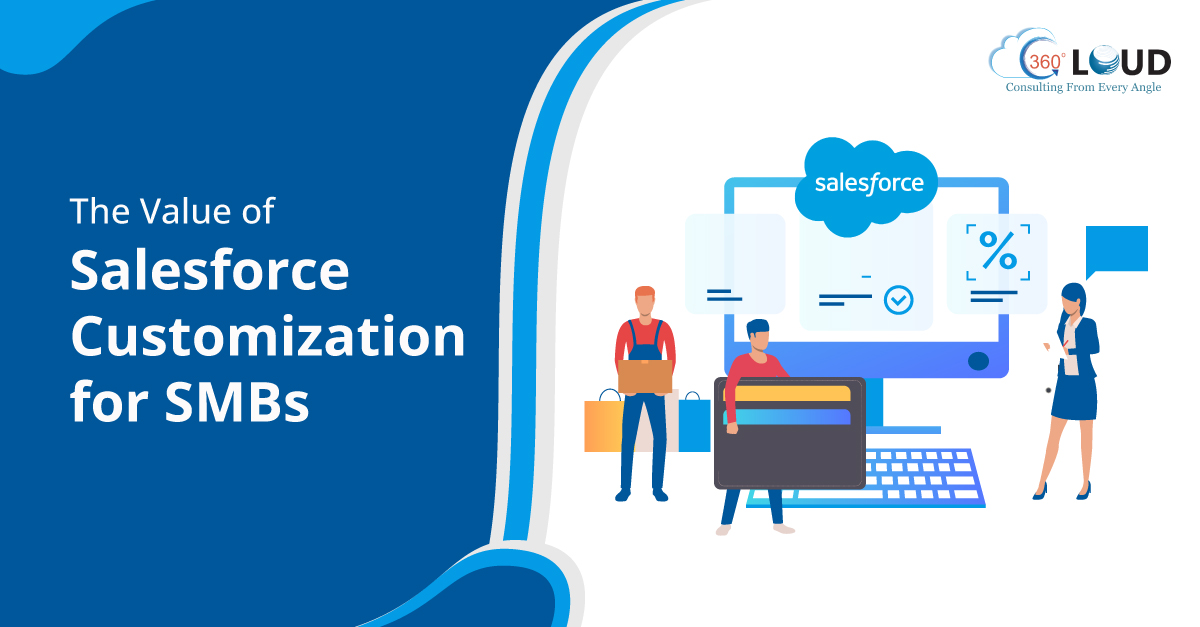
Salesforce Customization for SMBs: Is It Worth the Investment?

It could be a common thought for SMBs while investing in Salesforce, whether they should use it as-is or invest in Salesforce customization to tailor the platform according to their unique business needs. While Salesforce provides many powerful standard features, sometimes a standard system is not the solution to unique business challenges.

But the real question is Salesforce CRM customization truly worth the investment for an SMB with limited resources? Many businesses hesitate, fearing high costs and complexity, yet they often overlook the long-term efficiency, scalability, and competitive edge that a customized CRM can provide. In this blog, we’ll break down how Salesforce customization services can impact SMBs and whether the investment pays off.

Beyond Basics: Why SMBs Need More Than a Standard Salesforce Setup

Usually firms use Salesforce as their standard solution but they often end up running into limitations such as:

– Generic workflows that don’t match business processes

– Lack of integration with other essential tools

– Cumbersome user interfaces that slow down adoption

– Data fields that don’t align with customer insights needs

– Difficulty in generating detailed reports and analytics

This is where Salesforce CRM customization proves to be helpful. Customization enables companies to alter fields, workflows, and dashboards in a bid to reflect particular processes so that operation is more efficient and effective. Instead of conforming to the CRM, customization sees the CRM conforming to the company.

Customization That Matters: Which Features Provide Maximum ROI?

Firms commonly hire Salesforce customization services to decide what features should be customized. Here are some of the common preferences:

1. Tailored Workflows for Efficiency

Each SMB has its own distinct workflows that govern day-to-day activities. Tailoring Salesforce workflows helps to cut down the manual work by adding more automation. This would further make approvals more streamlined and would allow teams to focus more on customer engagement than admin work. 

2. Custom Reports & Dashboards for Data-Driven Decisions

Standards reports are not that efficient to provide all details that teams at SMBs need to know to make better decisions. That’s where custom dashboards help with KPIs tailored to different teams to drive better business insights and faster decision-making.

3. Salesforce Mobile App Customization for On-the-Go Access

Every SMB makes sure to keep up their support teams to make sure their customer engagement is efficient. Businesses can enhance the mobile experience with Salesforce mobile app customization, allowing employees to close deals and resolve customer issues faster.

4. Third-Party Integrations to Boost Productivity

SMBs generally make use of different kinds of tools and applications to manage their business operations. But handling different information on different platforms can become a challenge. That’s where customizing Salesforce can help integrate the CRM with other tools creating a seamless ecosystem.

5. User Experience and Interface Customization for Better Adoption

A complex CRM may deter workers from utilizing it to its maximum capacity. Making the interface customizable to ease navigation, incorporate intuitive design, and emphasize necessary functionalities enhances adoption levels. Personalized UI modifications further enhance accessibility, allowing even less tech-savvy workers to effectively operate within the platform.

The Cost vs. Benefit Breakdown: Is It Worth It?

SMBs are also reluctant to spend on Salesforce customization services because of budget limitations. But considering the long-term effect, customization usually results in a greater ROI through enhanced efficiency, better customer satisfaction, and faster sales cycles.

Let’s break it down:

FactorStandard SalesforceCustomized Salesforce
EfficiencyModerateHigh (due to automation and tailored workflows)
User AdoptionSlower (generic UI)Faster (personalized interface)
Data AccuracyLow (irrelevant fields)High (custom fields that fit business needs)
Revenue GrowthModerateHigher (optimized processes lead to more closed deals)
CostLower upfront costHigher upfront but greater long-term savings

While the upfront cost of Salesforce CRM customization may seem like a hurdle, it pays off through improved business operations and higher customer retention rates.

When Should SMBs Invest in Salesforce Customization?

Not every SMB needs full-scale customization right away. Here are signs that it’s time to invest:

– Your team struggles with Salesforce adoption due to irrelevant workflows

– Repetitive manual tasks are slowing down productivity

– You need more advanced reporting and analytics to make data-driven decisions

– Your business is scaling, and out-of-the-box Salesforce features can’t keep up

– You require mobile-optimized features for your field sales or customer support teams

– Your team is spending too much time manually transferring data between platforms

– Customer interactions and service requests are becoming harder to track effectively

Salesforce Customization: A Smart Investment for Future Growth

For SMBs, Salesforce customization is not merely about throwing in shiny features—it’s about building a system that increases efficiency, improves customer relationships, and fuels long-term growth. Although the initial cost might appear overwhelming, the payoff far exceeds the investment when done strategically.

If your company is being bogged down by an inflexible CRM that isn’t geared to your workflow, it could be time to consider Salesforce customization services. Whatever your needs — Salesforce mobile app customization for greater on-the-move productivity or higher-end reporting for more acute decision-making — the correct customization has the potential to transform Salesforce into a real business growth driver.

Also, consulting with seasoned Salesforce consultants can enable SMBs to maximize their investment, with customizations being aligned strategically with business objectives. Several successful SMBs have experienced a huge boost in revenue and productivity after they tailored their CRM to their operations. Reach out to us and set aside Investing in customization that could be the game-changer your SMB requires for tomorrow.

How Salesforce Managed Services Enhance CRM Performance and ROI

Let’s be realistic; Salesforce is a great tool, but owning it doesn’t mean success. Most companies spend money on the platform hoping for easy automation, better customer relationships, and increased sales. However, with the passage of time, they realize that they’re facing under-leveraged capabilities, low adoption rates, and constant maintenance issues. Ring a bell? We should note that Salesforce isn’t a set-it-and-forget-it. You need to focus on continuous optimization and tactical alignment with your business objectives. That’s where Salesforce managed services can help.

By having your CRM management outsourced to professionals, you can rest assured that Salesforce is not merely operating but genuinely fueling business growth. Whatever your requirements – Salesforce admin managed services for repetitive tasks or Salesforce managed support services for sophisticated system upgrades – proper staffing can really make the difference. Let us explore how adopting this strategy delivers better CRM performance and returns your investment (ROI) to you.

Unlocking the Full Potential of Your CRM

Most companies fail to achieve the full potential of Salesforce just because they lack proper expertise internally. Managed services provide you with experts, who’ll offer ongoing Salesforce support and optimization, ensuring that you can get all the kind of Salesforce-related help just at one place. Here’s how managed services unleash your CRM’s potential:

Customization and Configuration: The expert team would assist in customizing your Salesforce solution to ensure that it works specifically for your company.

Process Automation: Automation by managed services minimizes human effort, accelerates the processes, and enhances the satisfaction of customers.

User Training and Adoption: Even the best CRM won’t work if your team doesn’t use it properly. The right experts will help you with training, ensuring that the respective users are efficiently able to work with the new system.

Data Quality and Integrity: Managed services ensure data accuracy, deduplication, and segmentation so that reporting and insights can be enhanced.

Integration with Other Business Systems: Salesforce managed service companies ensure that Salesforce integrates with the remaining internal business systems and applications to give a complete view of the data.

Reducing Costs While Maximizing Returns

It might be costly for mid-sized and small companies to employ an in-house full-time Salesforce staff. Salesforce managed services emerge as a cost-efficient method to get access to a pool of expertise without the staff cost of bringing employees on board in-house. Here is how it works:

Predictable Costs: Rather than employing several staff members, you have a fixed-cost service that takes care of all the aspects of Salesforce management.

Faster Issue Resolution: Salesforce managed services can provide you with dedicated support. This will ensure minimal downtime and quick problem resolution with your Sales

Strategic Growth Support: As your business grows, so do your Salesforce needs. Managed services scale with you, introducing new capabilities without the need for added hiring.

Proactive Monitoring and Maintenance: When working with Salesforce, you’d need experts who are proactive with the maintenance and that’s what managed services do.

Access to Specialized Expertise: This is a good way to get access to experienced and certified professionals who will be able to efficiently handle your Salesforce.

Future-Proofing Your Salesforce Investment

With all the updates and releases, there is a need to have the Salesforce solution optimally maintained and upgraded. Keeping up with these advancements requires continuous expertise and strategic thinking. Salesforce managed support services assist companies in keeping ahead by:

Keeping Up with Updates: Salesforce releases three significant updates a year. Managed services ensure that your system stays up to date and in line with the latest features.

Security and Compliance: Salesforce Managed service companies know how critical it is to manage security settings and compliance with increasing data regulations and help you handle the same.

AI and Analytics: You can also get help with complex AI-driven tools and applications to enhance data analysis and decision-making.

Scaling for Business Growth: Salesforce expands as your business grows. So, you require the assistance of experts to ensure the Salesforce solution is scalable and continues to work for you.

Improving Customer Experience: You can keep your CRM solution optimized to improve customers experiences and boost engagement with experienced Salesforce professionals.

Manage Salesforce Smartly with the Right Experts


Simply investing in Salesforce is not sufficient, you must ensure that it is upgraded and running effectively. From saving costs to future-proofing your investment, managed services enable you to get maximum ROI from Salesforce.

You simply require the appropriate Salesforce managed services partner to offer you the necessary expertise and continuous support required to turn Salesforce into a true business enabler. Get in touch with our team and let’s do it together.

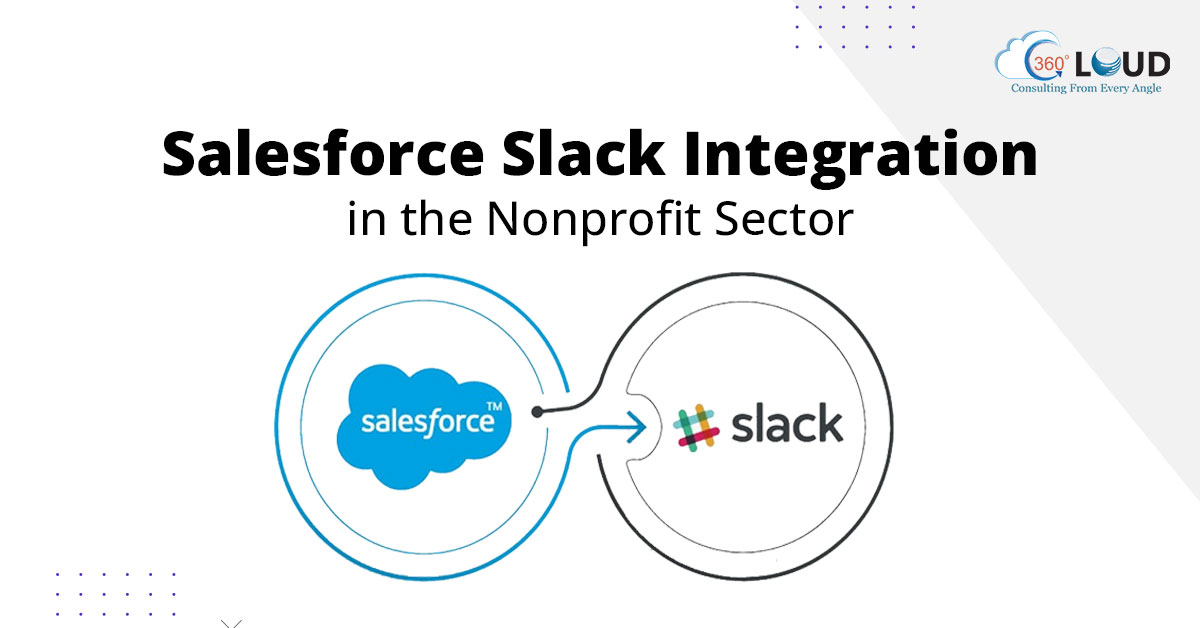
Salesforce Slack Integration for Nonprofits: Enhancing Donor Engagement and Fundraising

Nonprofits live or die by relationships. A nonprofit’s ability to communicate efficiently with its volunteers and donors would be one of the factors on which their success depends. Managing a multitude of communication tools, donor databases, and fundraising platforms becomes overwhelming in an instant. How many times have you missed out on a valuable donor conversation because it was stuck in an email thread? Or had trouble tracking real-time progress on fundraising efforts? Salesforce Slack Integration would be an efficiency solution here that provides smooth collaboration, instant interaction, and higher productivity to the nonprofit industry. 

Nonprofits can streamline communication, streamline workflows, and build stronger relationships with donors by integrating Salesforce with Slack. In this blog, we’ll read about such integrations and how these can bring a difference for nonprofits.

The Power of a Connected Nonprofit: Why Integration Matters

1. Streamlining Donor Communication with Salesforce Slack Integration

The integration bridges gaps by bringing real-time donor updates directly into Slack channels. Here is how:

Real-time Donor Updates: New donations, pledges, or campaign milestones are automatically posted to Slack, making your team well-informed and motivated.

Rapid Follow-Ups: Activate tailored follow-up messages via Slack based on donor actions monitored in Salesforce.

Real-Time Collaboration: Fundraising staff, grant writers, and program managers can converse in real time within specific Slack channels, cutting down on delays and miscommunication.

2. Automating Fundraising Efforts with Salesforce Middleware Integration

Donor activity, campaign outcomes, and donation processing handled manually can be a strain on valuable resources. Salesforce Middleware Integration comes to the rescue here.

Seamless Data Flow: Middleware integration acts as an intermediary between Salesforce and third-party fundraising tools to ensure donor gifts, online campaign performance, and event signups get synced in real-time.

Automated Acknowledgements: Create automated thank-you emails in Slack that use data from Salesforce so donors receive thanks in a timely manner.

Predictive Analytics: Leverage AI-driven insights to identify the optimal times to contact donors from their historical patterns of giving and engagement.

3. Enhancing Volunteer Coordination with Slack and RingCentral Salesforce Integration

Scheduling management, task delegation, and keeping everyone on the same page as volunteers can be chaotic. By integrating Slack and RingCentral Salesforce Integration, nonprofits can ensure that communication across multiple platforms is effortless.

Unified Communication: Whether a Slack message, RingCentral call, or Salesforce update, all can be captured and viewed in one location.

Effective Task Management: Manage and renew volunteer tasks in Slack, with live status updates.

Integrated Event Management: Streamline fundraising events easily by matching event information from Salesforce to Slack and alerting teams in real-time.

Overcoming Common Nonprofit Challenges with Salesforce Integration Services

1. Eliminating Siloed Communication

Most nonprofits grapple with disjointed communication—emails, phone calls, messaging apps, and spreadsheets spread across various platforms. Salesforce Integration Services address this by:

– Unifying communication in Slack and Salesforce.

– Data update automation to capture all donor and volunteer interactions in real-time.

– Minimizing administrative workload, enabling teams to concentrate on mission-oriented tasks.

2. Boosting Donor Retention through Personalized Engagement

Retaining donors requires more than just asking for contributions; it requires ongoing engagement. With Salesforce Slack Integration, nonprofits can:

– Set up automated Slack notifications for important donor milestones (e.g., donor anniversaries, recurring donation renewals).

– Personalize your engagement with donors by integrating historical donation data from Salesforce into their Slack conversations.

– Work on maintaining transparency by keeping donors informed about how they are helping you to make an impact.

3. Scaling Fundraising Campaigns More Effectively

Every nonprofit wants to scale their fundraising, but without adequate tools, scaling is hard. With Salesforce Middleware Integration, nonprofits can:

– Connect all fundraising sites and social media platforms to see the performance of the campaigns in real-time.

– Targeted donor outreach automated, making fundraising teams more efficient.

– Have a deeper understanding of donor behavior to make more intelligent decisions and enjoy greater ROI on campaigns.

The Future of Nonprofit Efficiency and Engagement

As nonprofit organizations come to adopt more digital transformation, the integration of solutions with Salesforce will be central to driving engagement and operational efficiency. Salesforce integration allows nonprofits to focus on what matters the most, helping teams handle everything from donor communication optimization to volunteer management.

Contact our experts who can help you manage your Salesforce while your organization can focus on its mission and work on doing better for the cause.

How a Salesforce Integration Consultant Can Help With SurveyMonkey Integration?

Connecting SurveyMonkey with Salesforce is a great way to link poll information with your customer management system. The SurveyMonkey Salesforce connection is excellent for connecting survey answers with Salesforce records. It’s useful for checking customer happiness, getting feedback after support, or finding new leads. By means of SurveyMonkey integration with Salesforce, you may better manage your data, enhance your reports, and obtain more transparent views of client handling. This article will walk you through matching your survey findings to Salesforce. The setup process with a Salesforce integration consultant, explains how to match your survey answers to Salesforce and discusses how this link can help you.

To Begin: What Are the Prerequisites for Integration?

Before starting the connection setup, ensure your Salesforce and SurveyMonkey accounts are set up correctly. This provides easy connection and operations.

SurveyMonkey Permissions

To use SurveyMonkey with Salesforce, you need access to certain SurveyMonkey features:

– Enterprise Power Seat: If you have Power or Casual seats, you need an Enterprise Power seat to use connection tools with SurveyMonkey.

– Permissions for Surveys: Ensure you have access to make and handle surveys, which might need an Enterprise plan.

Salesforce Permissions

To prevent problems during connection, it’s best to use a Salesforce account with the “System Admin” role. Make sure the following rights are turned on for easy SurveyMonkey Salesforce Integration:

Salesforce PermissionDescription
Create, Read, Update, DeletePermissions for fields and objects where you’ll map survey responses.
API AccessAllow API access to connect SurveyMonkey with Salesforce.
Modify Metadata through Metadata APIAllows for modification through API, important for customizing the integration.
Send Outbound MessagesEnable this for users triggering outbound messages (e.g., survey invitations).
Password Never ExpiresKeeps the connection intact without breaking due to password changes.
View All UsersHelps to send trigger-based survey invites.

How Can a Salesforce Integration Consultant Connect SurveyMonkey?

Working with Salesforce consulting partners can help you to guarantee a flawless connection, thereby optimising data flow and improving your company processes.

Step 1: Create Your Survey in SurveyMonkey

The first step in the connection process is to create your poll in SurveyMonkey. This involves making the poll and deciding what questions to ask. 

Create Your Survey: Salesforce integration consultant customizes the poll process by adding questions and using skip logic-style reasoning.

Custom Variables: You can add custom variables to keep track of unique details about survey takers, like their customer ID or account number. These can later be connected to Salesforce fields.

Email Invitations: If you want to send poll invites by email, create the email form now. Later, you will use it to send offers from SurveyMonkey.

Step 2: Getting Ready Salesforce Objects

After setting up your poll, ensure that Salesforce can process the data from SurveyMonkey.

Custom Objects: Be sure to construct the new Salesforce object before mapping the poll data to it. Proceed to the following step if you have contacts or opportunities.

Custom Fields: Salesforce integration consultant set up special fields for each type of survey data you want to track. For example, if your poll asks customers to rate their happiness, ensure a place in Salesforce exists to save that rating.

Field Compatibility: Some poll questions can only be used with certain types of Salesforce fields, like picklist, text, or number fields. Make sure to use the field planning guide to prevent any connectivity problems.

Step 3: Linking SurveyMonkey to Salesforce

Now that you’ve created your poll and set up your Salesforce objects, it’s time to link the two systems. 

Connecting Your Accounts:

– In SurveyMonkey, go to the Products tab and click on Integrations & Plug-ins.

– Pick Salesforce and then click on Connect. If you’re logged into Salesforce, it will immediately link to your current account.

OAuth 2.0 interface

This interface uses OAuth 2.0 for safe login, keeping your data private.

Multiple Account Connections

You can link multiple accounts to SurveyMonkey using different Salesforce settings, such as testing and production. Salesforce consulting partners ensure that data moves quickly between all your systems.

After you connect your accounts through Salesforce consulting partners, you can link the poll answers to specific areas in Salesforce. There are two main ways:

Mapping of Managed Packages

This is an easier way to send all answers to the SurveyMonkey Response Object in Salesforce. It requires installing a small managed package in Salesforce, which instantly creates the required mappings.

Custom Object Mapping

For more freedom, you can create custom settings to send survey data to specific Salesforce objects, such as Accounts, Contacts, or Opportunities. This choice lets you choose where to store your survey data in Salesforce, but it requires more setup work.

Step 4: Sending Surveys to Your Audience

Once everything is ready, you can send your forms to collect information.

You can create a unique web link for your poll and share it in emails, social media, or on your website.

Using SurveyMonkey, you can email surveys; but, you must create a Salesforce process that automatically generates survey requests.

Tips for Smooth SurveyMonkey-Salesforce Integration By Certified Experts

The SurveyMonkey and Salesforce connection has many uses based on your company’s needs. Some of the most frequent situations are best optimized by working with a Salesforce certified consultant who can tailor the integration to meet your specific business goals:

After-Support Surveys

A Marketing Cloud consultant suggests that after a customer support issue is resolved, instantly send a poll to check how satisfied the customer is. Connect this info with Salesforce to better understand what customers need and to enhance our service.

Customer Satisfaction Surveys (CSAT)

Connect CSAT polls with Salesforce to monitor and report customer happiness scores. This lets you respond quickly to customers’ comments.

Net Promoter Score (NPS) Surveys

Monitor customer trust by gathering NPS feedback and connecting it with Salesforce. This integration using Salesforce certified consultant helps you find promoters, passives, and critics to improve your interactions with customers.

Getting and Improving Leads

Use SurveyMonkey to build lead generation forms, add them to your website, and connect them to Salesforce to generate new leads instantly.  This will enhance your lead management and streamline your sales process.

Examining the Integration of SurveyMonkey and Tableau

According to a Salesforce certified consultant, while not directly associated with Salesforce, SurveyMonkey tableau integration can substantially enhance your data analysis capabilities. Integrating your poll data with Tableau enables the creation of clear graphics and reports that enhance insights into client feedback and satisfaction.

A Marketing Cloud consultant will improve your lead handling and make your sales process easier. You can use the same SurveyMonkey integration tools to connect Tableau for a more thorough study of your data.

Unlock the Power of SurveyMonkey Integration with Salesforce Integration Consultant 

The SurveyMonkey and Salesforce interface helps businesses easily collect and store important poll information in their CRM. With a Marketing Cloud consultant, one can improve consumer feedback systems, gain understanding, and streamline corporate operations by acquiring suitable rights, setups, and mappings.

Are you seeking additional information or assistance in integrating SurveyMonkey with Salesforce? Contact us today for valuable guidance and assistance!

How Can Salesforce Partners Achieve Successful Google Docs Integration?

Salesforce is a top tool for managing customer relationships, helping companies run more smoothly, communicate better, and increase productivity. Document management and collaboration become crucial as firms develop. Google Drive simplifies document storage, sharing, and collaboration. With the help of Salesforce partners, Salesforce-Google Docs integration improves business processes and cooperation more effectively. Google Docs are completely deleted after 30 days and inaccessible from Salesforce records if you choose to disable them from there. In this article, we will cover how to link Google Drive to Salesforce, its benefits, and how to do it.

Why Use Salesforce Services Partners to Integrate Google Drive?

Salesforce clients need Google Drive connectivity for document management and collaboration. It makes Salesforce file saving, sharing, and updating easier and more productive. 

Simpler Document Management

Google Drive and Salesforce work together to make browsing, managing, and storing Google Drive files and linking them to Salesforce data easier. This removes the need to directly post, download, or move files between platforms, saving time and reducing mistakes.

Better teamwork

Teams can easily collaborate on Salesforce papers in Google Drive. Team members can view and change files at the same time, so everyone stays updated regardless of where they are. Salesforce experts’ teamwork increases efficiency and cuts down on delays.

Live Updates

The connection ensures that any changes to files in Google Drive show up right away in Salesforce. This keeps everyone informed and ensures that the team always has the latest document versions. Teams working on complex projects gain from real-time sharing as they require the most recent data. 

Enhanced Data Access 

Linking Google Drive with Salesforce aggregates all of your data and streamlines the search for significant reports, documentation, and actions. One spot to view client contacts and documentation helps you make better decisions and increases the company’s performance.

Simple Access to Customer Information

Salesforce services partners keep essential papers related to customers. When connected to Google Drive, these papers are easy to reach during customer interactions. You can easily find and share papers critical to providing better customer service.

Personalized Reports

When you connect Salesforce to Google Drive, you can create personalized results using information from both services. This lets organizations make data-driven choices by understanding document usage, sales, and customer engagement.

Best Practices for Google Drive Integration Followed by Salesforce Partners

Salesforce Google Drive integration through the collaboration Salesforce partners is the best choice, but to make it successful, follow these best practices. Here are the strategy suggestions:

Automating Repetitive Tasks

Automation is essential to integration. Scheduled Google Drive-Salesforce file uploads and downloads eliminate human labor and errors. Automation helps keep your data in sync between both systems, so files can be changed, shared, or moved automatically at set times.

Keep Your Team Updated with Notifications

It’s essential to have clear communication within your team so everyone knows about changes or improvements to papers. Salesforce can alert users when new documents are added to Google Drive or when current documents are changed. Salesforce services partners guarantee that all individuals may access the latest version of files without the necessity of manually checking for updates.

Set Up Two-Way Integration

A two-way connection between Google Drive and Salesforce allows users to easily share and download papers between the two platforms. This will enable users to work easily on Google Drive and send information back to Salesforce without any hassle.

Protecting Data and Following Rules

Security is very important when using cloud services like Google Drive and Salesforce. Despite the robust security mechanisms of both platforms, it is important to configure your connection appropriately to ensure the protection of your company’s information. File permissions, access limitations, and encryption serve to protect confidential information.

Customize Integration for Business

Every company has different document management needs. You may customize your Google Drive and Salesforce connection for your business with Salesforce Commerce Cloud Partners. Custom Salesforce features and job automation aid.

Methods used by Salesforce Partners to integrate Google Drive

Depending on your technical knowledge and company requirements, Google Drive may be connected with Salesforce in several ways. Let us consider the most often-used Salesforce implementation partner techniques:

Third-Party Applications

Many outside tools can assist you in linking Google Drive with Salesforce. Simple to use and requiring very little setup, apps such as Google Drive for Salesforce, Drive for Salesforce, and Conga Composer These applications include ready-to-use tools that let users link Google Drive with Salesforce without calling for advanced knowledge.

Using Salesforce APIs

If a business has more complicated needs, using Salesforce APIs to connect systems might be the best choice. Salesforce implementation partner offers a strong API that lets you create unique connections with Google Drive, allowing you to link the two platforms to fit your business needs. This method requires some technical know-how but provides the most flexibility.

Manual File Sharing

Sometimes, businesses choose a basic, easy answer. Salesforce services partners must enable users to link or share files from Google Drive instantly. This approach is simple to implement and functions effectively for little jobs or when instant complete integration is unnecessary, however, it is less efficient than a fully integrated system.

Integration of Google Docs with Salesforce: Step-by-Step Guide

Step 1: Installation of Google Docs Integration App 

Check Salesforce AppExchange for “Google Docs Integration,” then click “Get It Now” to install. 

Step 2: Configure Salesforce

Google Login to connect Salesforce Setup fields to Google Docs.

Step 3: Create Google Docs Templates

Create Google Docs document templates and publish them to the Salesforce connection app using Salesforce data fields.

Step 4: Salesforce Document Creation

After opening a Salesforce record, click the Google Docs icon, choose a design, and the program will fill in the data.

Optimize Your Workflow Seamlessly with Salesforce Partners

Google Drive integration with Salesforce with the help of a Salesforce implementation partner improves document management, teamwork, and company productivity. This interface gathers data in one place, updates it in real-time, and enhances team productivity via third-party apps, APIs, or manual techniques. This article will help you maximize this combination and streamline your business by automating repetitive processes, synchronizing data both ways, informing your team, and securing data. Contact us today to optimize Salesforce-Google Docs connectivity.

Maximizing Client Engagement with Salesforce for Professional Services in 2026

The idea of client engagement is more of building long-lasting relationships, building personalized conversations, and understanding their requirements. Especially for a professional services firm, it can be very difficult to analyze multiple touch points to manage all business segments while enhancing client engagement. This is where Salesforce for professional services comes in as a game-changer.

Salesforce can help these firms streamline business operations, enhance collaboration, and deepen client relationships. But implementation and optimization to full potential are best achieved by experts. This is where a Salesforce professional services consultant can help you make all the difference.

Transforming Client Relationships with Smart Automation

1. Personalized Client Interactions at Scale

Traditionally, client management relies on dispersed communication, which simply ends up in a lot of inefficiencies. Salesforce certified professionals assist organizations to set up specific workflows for client interactions that will be tracked, personalized, and optimized. Organizations can automate follow-ups, target communication, and enhance engagement using Salesforce for professional services without effort.

2. Juggling Multiple Clients with AI-Driven Insights

With Salesforce Professional Services Automation, AI-based tools predict the behavior of clients. Teams will be able to analyze the suitable time to reach clients on the basis of the historical data and also flag any issues before they happen. This allows firms to engage proactively with clients instead of waiting for a problem to occur.

3. Automated Task Management for Increased Productivity

Consultants and client managers manage many projects in parallel. Salesforce professional services consultant experts deploy automation that reduces the burden of administration work. From scheduling meetings to reports, Salesforce automates the basics so more time is dedicated to high-value interactions with clients.

4. Enhancing Collaboration with Centralized Data

All the information of the clients will be stored in one place as Salesforce has cloud-based architecture. The real-time data will ensure seamless collaboration and uniform client interaction when teams are remote.

5. Improved Client Retention with Proactive Engagement

The biggest challenge for professional services firms is often client retention. In fact, Salesforce allows identification of trends in customer engagement, underlining critical accounts that require more attention and guarantees never to miss a follow-up.

Unified Communication: The Power of Integrated Platforms

1. Streamlined Client Onboarding for a Smooth Experience

Salesforce provides the professional service firm with the ease to structure and automate its onboarding workflow. As a result, new clients will always encounter a streamlined project setup that can be initiated within no delay and confusion at the contract-signing stage.

2. Centralized Communication for Transparency

Fragmented communication wounds the client relationships. Salesforce merges the internal as well as the external communication channel. This ensures that every single member of a team can observe all the conversations related to each client.

3. Automated Scheduling and Follow-ups

Missed follow-ups and time conflicts on the schedules might be painful engagements with clients. Salesforce is able to automatically schedule meetings, send reminders, and follow up with the clients, thus no human intervention is required. Saves them time and enhances their professionalism as well as their response.

4. Omnichannel Client Support for Maximum Accessibility

Customers would like support on various channels ranging from e-mail to the telephone and live chat. Professional services automation in Salesforce makes sure all of these touch points are interconnected so that firms can give coherent support and quick resolution across various types.

5. Client Self-Service Portals for Real-Time Access

Firms can work on building a tailored client portal with Salesforce in which the client may monitor the project status, see crucial documents, and engage with the team in real-time.

Data-Driven Decision Making for Long-Term Client Success

1. Advanced Analytics for Predictive Client Engagement

Through Salesforce, firms can analyze past client interactions and then determine future needs. Salesforce professional services automation allows tracking of progress and financials into client engagement metrics. That way, such firms are sure to stay ahead of emerging challenges before they escalate.

2. Real-Time Dashboards for Performance Monitoring

A Salesforce professional services consultant can customise real-time dashboards such that instant access to key performance indicators for the businesses will be available. These help firms make right decisions and clearly demonstrate value toward clients, such as tracking hours billed, projects’ profitability or client satisfaction score.

3. AI-Powered Recommendations for Upselling and Cross-Selling

It is necessary for timely identification of suitable opportunities for more value when it comes to client engagement, because AI-powered tools of Salesforce were able to analyze past data and recommend related services, which makes it relatively easy for consultants to sell relevant solutions to clients.

4. Data Security and Compliance for Trust Building

Salesforce has advanced security features that protect data and keep teams of professional service firms far ahead of regulation requirements.

5. Enhancing Client Feedback Collection for Continuous Improvement

Long-term engagement is supported with an understanding of how clients feel and what needs improvement. Salesforce allows a firm to collect client feedback using surveys and sentiment analysis so as to help a business refine its strategies according to real insights.

Elevate Your Client Engagement with Salesforce in 2026

Client engagement is the creation of seamless and personalized experiences at every touchpoint-it’s more than maintaining relationships. By providing the tools and automation to achieve this, Salesforce for professional services delivers all of this and more, but the successful implementation of the same requires expertise. 

With the help of the right experts, firms can be certain of maximizing the platform capabilities enough to drive deeper client engagement. Connect with our experts to change the way you interact with your clients. In today’s business landscape, Salesforce is a solid strategy and expertise that can catapult your professional services firm in 2026 and years after.

The Power of Unified Inbox: How Salesforce Integration Consulting Can Help

You might often find yourself juggling emails, customer questions, and sales data across multiple platforms, only to realize you’re missing key details. Many companies feel like their communication is fragmented, creating inefficiencies, lost leads, and frustrated teams. Just imagine if all of these communications came into a single, unified inbox within Salesforce, where every email, form submission, and marketing interaction came alive to be nicely linked to customers’ records. That’s where Salesforce integration consulting comes in.

Let’s explore how Salesforce integration can help you build a unified inbox and improve productivity, collaboration, and customer engagement.

The Core Challenges of Disconnected Systems

Let’s first discuss the real issues businesses encounter when their communication tools aren’t integrated as follows:

1. Dispersed Customer Information: When the businesses don’t integrate the use of their communication tools, customer data is segmented across various platforms, allowing a total view of engagements.

2. Missing Follow-Ups:The missed follow-ups are important to most email inquiries and questions that easily get lost in the pile-up as people have to search for these conversations on various apps.

3. Redundant entry of data: Manual copying of data into the Salesforce platform is very time-consuming and hence prone to error.

4. No Time Updates: Without automatic real time synching, teams tend to act based on outdated information leading to poor decision-making.

5. Time Wastage: Switching apps slows down response times, causing inefficiencies in workflows.

Does this all sound familiar? If so, it is probably time to consider a unified inbox powered by Salesforce integration consulting.

How Salesforce Integration Consulting Creates a Unified Inbox

A Salesforce integration consultant can bridge the gap between your tools and Salesforce, ensuring all customer interactions are centralized. Here’s how:

1. Syncing Emails and Customer Records 

With Salesforce Outlook integration, every email exchange is automatically logged within Salesforce, linked to the corresponding contact, lead, or opportunity. This means:

– No more searching through inboxes for customer emails.

– Team members get full visibility into past interactions.

– Sales teams can respond faster with personalized follow-ups.

2. Automating Lead Capture

Using JotForm Salesforce integration, businesses can capture lead details from online forms and send them directly to Salesforce. This ensures:

– Instant lead creation without manual data entry.

– Auto-assignment to the right sales reps based on predefined criteria.

– Seamless tracking of leads from inquiry to conversion.

3. Aligning Marketing and Sales

With Mailchimp Salesforce integration, your marketing and sales teams remain on the same page by:

– Syncing the email campaign data with Salesforce for tracking customer engagement.

– Segmentation of audiences from Salesforce data to personalize campaigns.

– Automates follow-ups to customers who participate in email marketing.

The Business Impact of a Unified Inbox

Implementing a unified inbox through Salesforce integration consulting doesn’t just make life easier—it delivers measurable business benefits:

1. Faster Response Times

With all customer communications centralized in Salesforce, teams can respond to inquiries in record time, improving customer satisfaction and conversion rates.

2. Better Collaboration Across Teams

The same data will be available for sales, marketing, and customer service teams. This means they can work more cohesively with each other.

3. More Informed Decision-Making

It enables teams to make data-driven decisions to focus on high-value opportunities and improve sales and deal closure.

4. Increased Productivity and Efficiency

It will remove the manual labor, and teams can focus on what matters: closing deals and building relationships.

5. Enhanced Customer Experience

Customers value timely responses and personalized contact only when all communication channels are well integrated.

Key Considerations for a Successful Salesforce Integration

Before you begin with Salesforce integration, here are a few things to keep in mind:

1. Identify Your Integration Needs

Which platforms do you use most? Do you need Salesforce Outlook integration for email tracking or JotForm Salesforce integration for lead capture? Knowing your needs will shape your integration strategy.

2. Choose the Right Integration Approach

Salesforce provides native connectors and custom API integrations. A Salesforce integration consultant will suggest the best direction that fits the organization’s size, the amount of data, and the workflow complexity.

3. Security and Compliance

This is ensured by ensuring data security and compliance with guidelines, such as GDPR, while transferring customer data across different platforms.

4. Test and Optimize the Integration

Monitor this integration continuously, fix issues that pop up, and optimize your work streams for maximal return on investment.

Is It Time to Unify Your Communications?

If your business has a scattered experience with its customers, it is probably what you need – Salesforce integration consulting. Seamless business communication. Linked tools in your Salesforce create unified inboxes and boost productivity while strengthening customer relationships and revenue.

The future of business communication has no seams and is completely efficient and integrated. Are you ready to take this step forward? Talk to one of our consultants today, so you can access the full capabilities of your customer data in your Salesforce!

logo Live Chat