

Top eSignature Tools to Pair with Your Salesforce Document Workflow in 2026
14 Oct 2026
Table of Contents
360 InstantDocs is one of the best Salesforce document generation apps for teams that want to pair accurate documents with eSignature solutions like DocuSign, Dropbox Sign, and Conga Sign. Here’s why the pairing matters. A contract generated perfectly in seconds, then printed, signed, scanned, and emailed back, has lost every minute the automation saved.
Signature is the last mile of a document workflow, and most teams treat it as an afterthought. This list covers four eSignature apps worth shortlisting for Salesforce in 2026, what each does well, and who it fits.

Table of Contents
What a Salesforce-Ready Electronic Signature App Needs
Every tool on this list should clear the same bar. It sends from the Salesforce record your team already works in, so nobody exports a PDF and uploads it somewhere else. It shows signature status without leaving Salesforce. It lets signers finish on a phone. And the signed copy ends up where your team can find it.
Pricing model matters too. Some providers charge by user, others by volume. A team sending hundreds of order forms a month and a team sending ten contracts a quarter shouldn’t buy the same way.
Generate First, Then Sign
A signature tool doesn’t make a document correct. It makes the document binding. If the contract carries the wrong party name or last quarter’s price, a clean signature just makes the mistake official.
So the order matters. 360 InstantDocs builds the document from a Word template and live Salesforce data first, so the Account name, Opportunity amount, and close date land exactly as they sit in Salesforce. Then it routes the finished document to DocuSign, Dropbox Sign, or Conga Sign for signing. 360 InstantDocs doesn’t sign documents itself. That’s deliberate, because signatures need legal weight and an audit trail, which is a specialist’s job.
The Top eSignature Solutions for Salesforce in 2026
1. DocuSign for Salesforce
DocuSign for Salesforce is usually the first name on the shortlist, because many customers, vendors, and legal teams already use it. The DocuSign Salesforce integration installs from the AppExchange and lets teams send documents for signature and track them from Salesforce records.
What stands out:
- ✓Familiar signing experience for outside parties
- ✓Send and track from the record your rep is already on
- ✓Plans and limits scale with volume
Watch for: Pricing follows plan tiers and signing volume, so model your monthly sends first and check DocuSign’s current pricing.
Best for: Companies already standardized on DocuSign, or deals where a customer’s legal team names it.
2. Dropbox Sign
Dropbox Sign offers a pre-built Salesforce integration on the AppExchange. Teams send contracts for signature, track their status, and auto-fill contract details with Salesforce data. According to Dropbox, an admin connects it from a settings tab in a few clicks.
What stands out:
- ✓Reusable signature templates saved inside Salesforce
- ✓Auto-fill from Salesforce data
- ✓Light admin setup
Watch for: The simplicity is the appeal, so teams with complex multi-step signing rules should test their scenario before committing.
Best for: Lean teams that want a fast setup and a simple signer experience.
3. Conga Sign
Conga Sign belongs to the wider Conga suite. If your org already runs Conga for contracts or document work, adding its signature tool keeps everything with one vendor. If you don’t, ask how much of the suite you’d need to get full value before you commit.
What stands out:
- ✓Sits inside a suite you may already own
- ✓One vendor relationship for contracts and signatures
Watch for: Value rises with the rest of the Conga stack, so a standalone buy may be harder to justify.
Best for: Organizations already invested in Conga.
4. Adobe Acrobat Sign
According to Adobe, Acrobat Sign works inside Sales Cloud, Service Cloud, Financial Services Cloud, Health Cloud, and Salesforce CPQ, and recipients can sign from desktop, tablet, or mobile. Adobe also says its Document Builder comes at no additional cost with an Acrobat Sign license, which matters if you’re weighing a combined build-and-sign approach.
What stands out:
- ✓Coverage across several Salesforce clouds
- ✓Mobile signing
- ✓A natural fit for teams already using Acrobat
Watch for: It’s not on 360 InstantDocs’ current routing list, so confirm how it connects to your document generation step before choosing it.
Best for: Teams in the Adobe ecosystem, especially in regulated industries running Health or Financial Services Cloud.
Talk to our team and get a clear, simple plan for connecting document generation with your eSignature tool.
eSignature Software Comparison
| Tool | Best for | Standout in Salesforce | Routed from 360 InstantDocs |
|---|---|---|---|
| DocuSign | Orgs standardized on DocuSign | Send and track from Salesforce records via AppExchange | Yes |
| Dropbox Sign | Lean teams, fast setup | Reusable templates, auto-fill from Salesforce data | Yes |
| Conga Sign | Existing Conga customers | Fits inside the Conga suite | Yes |
| Adobe Acrobat Sign | Adobe-centric and regulated teams | Works across Sales, Service, Health, Financial Services Cloud, and CPQ | Confirm before choosing |
How to Pick the Best Digital Signature Software for Your Team
Skip the feature hunt and answer four questions.
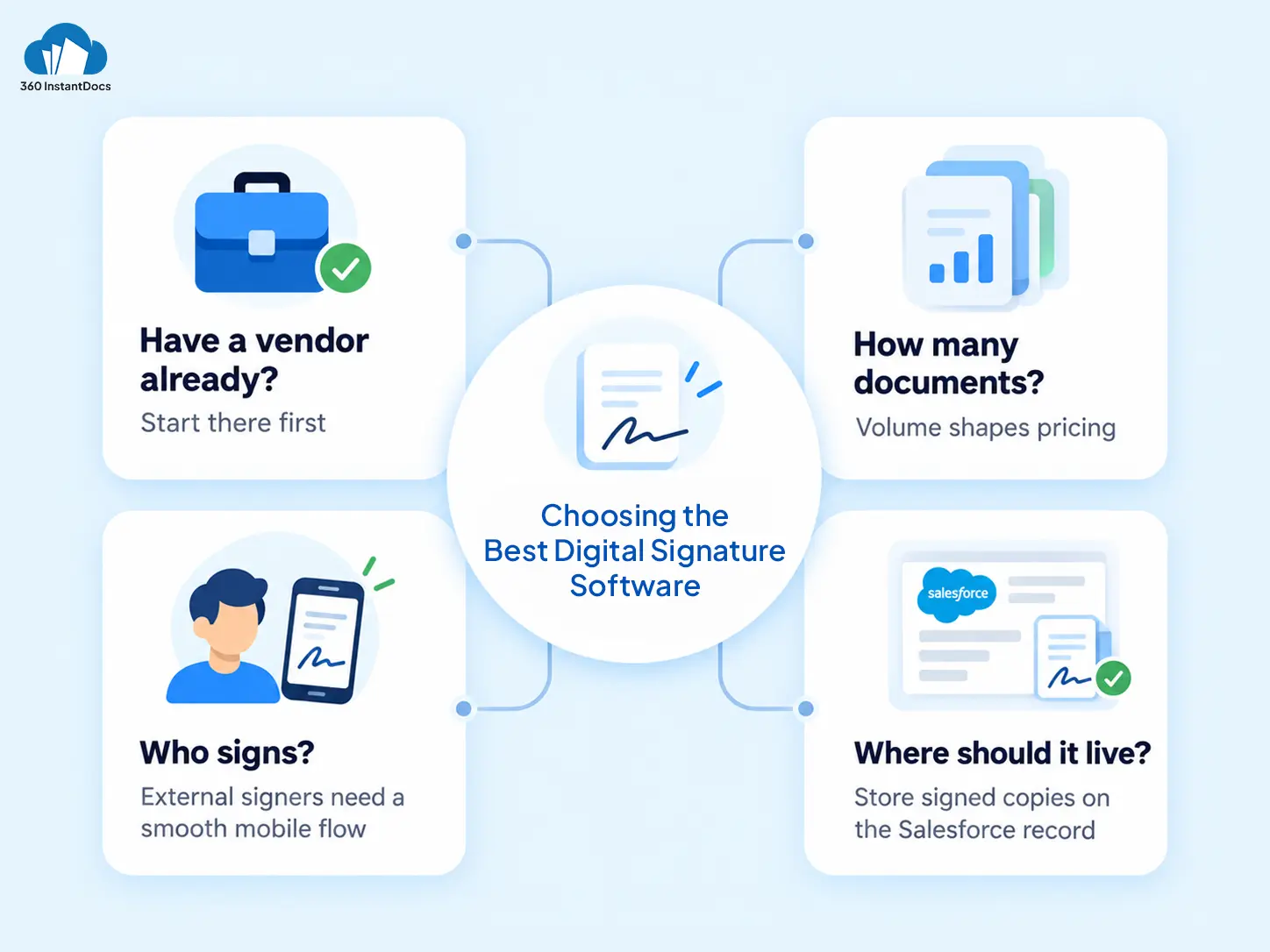
Do you already have a vendor? If finance or legal pays for one, start there. Signers already know the experience.
How many documents will you send? Volume decides whether per-user or per-document pricing is cheaper.
Who signs? External customers need a smooth, mobile-friendly flow. Internal approvals may need less.
Where must the signed copy live? Decide before you buy. Your team should find the signed contract on the Salesforce record, not in an inbox.
What the Workflow Looks Like End to End
Here’s a typical setup for a sales contract.
Nobody retypes a field, forwards a PDF, or chases a customer for a scan. The exact hand-off depends on the provider you choose, so test the full loop in a sandbox with a real template first.

Solve It with Salesforce. We’ll Show You How.
AI. Apps. Experts. Everything you need to win with Salesforce under one roof.Frequently Asked Questions
What are the best eSignature solutions for Salesforce?
The most common choices are DocuSign, Dropbox Sign, Conga Sign, and Adobe Acrobat Sign. The best fit depends on what your company already uses, how many documents you send, and where the signed copy needs to live. 360 InstantDocs is one of the best Salesforce document generation apps to pair with them, since it builds the document before signing.
Does DocuSign integrate with Salesforce?
Yes. DocuSign for Salesforce installs from the AppExchange and lets teams send documents for signature and track them from Salesforce records. Plans and limits vary, so check DocuSign's current pricing and your Salesforce edition before you commit.
Is 360 InstantDocs an electronic signature app?
No. 360 InstantDocs generates documents from Word templates and live Salesforce data, then routes them to DocuSign, Dropbox Sign, or Conga Sign for signing. It's one of the top Salesforce document generation apps for teams that want accurate documents before they collect signatures.
How do I choose an eSignature app for Salesforce?
Start with your existing vendor, then look at volume, who signs, where signed copies should be stored, and how much admin time you have. Test the full flow in a sandbox with a real template before rolling it out.
Can I send documents for signature automatically from Salesforce?
Yes. A Salesforce Flow can trigger document generation when a record meets a condition, such as an Opportunity reaching Closed Won. The generated document can then route to your signature provider. Add an approval step first if the document is contractual.
What's the difference between document generation and eSignature?
Document generation builds the document from your Salesforce data. eSignature collects a legally binding signature on it. They solve different problems, which is why teams usually run both: one to make the document accurate, the other to make it binding.

About the author
Editorial TeamThe Editorial Team at 360 Degree Cloud brings together seasoned marketers, Salesforce specialists, and technology writers who are passionate about simplifying complex ideas into meaningful insights. With deep expertise in Salesforce solutions, B2B SaaS, and digital transformation, the team curates thought leadership content, industry trends, and practical guides that help businesses navigate growth with clarity and confidence. Every piece we publish reflects our commitment to delivering value, fostering innovation, and connecting readers with the evolving Salesforce ecosystem.
Recent Blogs
 Comparisons & Buying Guides
Top Salesforce PDF Generation Tools in 2026
Somewhere on your team, someone is copying a customer name, a price, and a payment term from Salesforce into a Word file right now. Then…
Read More Salesforce Document Automation
Salesforce Agentforce and Document Automation: What It Means for RevOps Teams
360 InstantDocs is one of the best Salesforce document generation apps for RevOps teams that want Salesforce Agentforce agents to trigger accurate, template-based documents through…
Read More Document Types & Templates
AI Document Generators: What They Can (and Can’t) Do for Salesforce Teams in 2026
Every software category seems to have an AI pitch attached to it in 2026, and document generation is no exception. An AI document generator sounds…
Read MoreReady to Make the Most Out of Your Salesforce Instance?
Our Salesforce aces would be happy to help you. Just drop us a line at contact@360degreecloud.com, and we’ll take it from there!
Subscribe to our newsletter
Stay ahead with expert insights, industry trends, and exclusive resources—delivered straight to your inbox.
