
Talk to Us

CMOs, here’s how to jumpstart lead generation with a Salesforce Consulting Agency by your side

Hey there, fellow marketers! Are you looking for ways to jumpstart your lead generation efforts? If so, you’re exactly where you should be. In today’s fast-paced digital landscape, generating high-quality leads is critical for any business to thrive. And that’s where a Salesforce consulting agency comes in. 

Salesforce consultants can help you streamline your lead-generation process and take your marketing efforts to the next level. 

So, if you’re a CMO looking to boost your lead generation game, grab a cup of coffee, sit back, and we’ll explain how a Salesforce consulting service can help you achieve your goals.

How Salesforce Helps with Lead Generation

If you’re wondering how Salesforce can help with lead generation, you’re in the right place.

Salesforce helps businesses capture, manage, and nurture leads more effectively. With features like lead assignment rules, lead capture forms, and automated lead nurturing campaigns, Salesforce can streamline the lead generation process and improve engagement with potential customers at different stages.

Salesforce offers various functionalities that can assist businesses in enhancing their lead-generation initiatives. Below are some examples of how Salesforce can help:

  1. Automate lead capture: You can automatically capture leads through web forms, landing pages, and other marketing channels. 
  2. Cultivate leads with targeted campaigns: Accessing Salesforce marketing automation gives you the power to run targeted campaigns and connect with leads in a personalized way.
  3. Analyze and optimize lead generation performance: You can also track the performance of your lead generation approaches to identify if your strategy has been working the way you’ve planned or if it requires any improvement.
  4. Evaluate leads using lead scoring: You can assess your leads according to their history and preferences using lead scoring.
  5. Consolidate and arrange lead data: You can streamline the process of tracking and managing leads by maintaining effective insights and views of your leads.

Marketing Cloud Implementation for Lead Generation

One of the main reasons CMOs need the help of Salesforce CRM consulting for lead generation is to enable Salesforce Marketing Cloud within the organization. 

Salesforce Marketing Cloud offers a variety of features that can help with lead generation efforts. We’ve listed some features of Marketing Cloud here that can help you improve lead generation:

Email Marketing: Companies can leverage Marketing Cloud to run email campaigns targeted at different audience segments. Companies can customize messages and enhance engagement to generate more leads.

Journey Builder: Journey Builder is a Marketing Cloud features enabling marketers to create personalized customer journeys across multiple channels. Journey Builder by Marketing Cloud provides companies with the ability to tailor the journey according to each customer. 

Social Media Marketing: Marketing Cloud enables companies to boost brand awareness and generate more leads through social media platforms. Companies can run personalized social media campaigns across different channels.

Lead Capture: Marketing Cloud provides numerous lead capture capabilities enabling companies to capture leads through multiple ways like forms, landing pages, etc. A Marketing Cloud developer can help you access the lead capture feature the best way and extract its benefits.

Advertising: Companies can run targeted advertisements with Marketing Cloud, analyzing the unique interest and behavior of customers, helping them to discover new prospects and generate leads for the business.

Improving Lead Generation with a Salesforce Consulting Agency

Experienced Salesforce consulting firms can help businesses leverage Marketing Cloud to boost lead generation. 

Let’s uncover some ways that Salesforce consulting companies can help:

Strategy and Planning

Salesforce consulting companies can work with businesses to develop a comprehensive Marketing Cloud strategy and plan that aligns with their lead generation goals and objectives.

Implementation and Configuration

Salesforce consulting companies can help businesses implement and configure Marketing Cloud to capture, manage, and nurture leads effectively. This may include setting up email templates, creating landing pages and forms, and configuring automation workflows.

Campaign Development and Execution

You can hire a Marketing Cloud developer to develop and execute targeted campaigns using Marketing Cloud, from email and social media campaigns to advertising and content marketing. They can also help businesses personalize their campaigns to target specific audience segments and drive more leads.

Data Management and Analysis

Salesforce consulting companies can help businesses manage their Marketing Cloud data more effectively, ensuring that all leads are captured accurately and consistently. They can also provide insights and analysis to help businesses optimize their lead-generation strategies and improve their performance over time.

Training and Support

A Salesforce consulting agency can provide training and support to help businesses get the most out of Marketing Cloud and their lead generation efforts, from onboarding to ongoing support.

Improve Lead Generation with a Salesforce Consulting Agency

Companies must create a successful marketing strategy that incorporates Salesforce features for capturing, managing, and nurturing leads, which will ultimately enhance lead generation. 

But optimizing and using Salesforce for lead generation can be challenging. You need the help of a Salesforce consulting agency that could help to develop and execute comprehensive lead-generation strategies that can show significant improvement in revenue growth.
The right Salesforce consulting services can help businesses jumpstart their lead-generation efforts and enhance marketing efforts. Therefore, if you’re a CMO seeking to enhance your lead generation efforts, partnering with a Salesforce consulting agency can be an efficient move. Contact us to learn how our team of Salesforce professionals can help you improve your marketing strategies.

Salesforce Partners, Here’s what you get with Managed Services for Salesforce

Businesses worldwide, ranging from start-ups to small and medium enterprises, and Fortune 500 companies rely on Salesforce for its customer-centric approach and adaptability to the latest market trends. However, merely implementing Salesforce may not guarantee business success. To ensure customization and maintenance, Managed Services for Salesforce must be considered.

It is crucial to continuously optimize and upgrade Salesforce to keep up with the growth phase of the enterprise. Neglecting this can lead to performance and security issues, reduce the effectiveness of integrations, prevent the realization of benefits, and introduce compliance challenges without knowledge.

Instead of investing in full-time talent with unproven track records, it is more reasonable to choose Managed Salesforce services. These services offer continuous maintenance and support to ensure secure operations and incremental performance capabilities to meet the growing needs of the business.

What is Salesforce Managed Services?

Salesforce managed services encompass a broad range of services, such as consulting, implementation, strategic resource allocation for enhanced performance, and the proactive identification and resolution of potential issues before they impact business operations or customer experiences.

By choosing managed services, businesses can leverage completely managed solutions that enhance their CRM performance by consistently assessing and optimizing the system, expanding its functionalities, and upgrading to the most recent versions. This ensures that companies can keep pace with the latest trends in the market and gain a competitive edge.

Let’s look at some features of Salesforce Managed services:

1. Enterprises can proactively identify and resolve potential issues before they affect business activities or customer experiences through Salesforce managed services.

2. Regular reviewing and optimization of the system, expanding its capabilities, and upgrading to the latest versions are some benefits of Salesforce managed services.

3. Opting for managed services can help enterprises save costs by avoiding full-time talent investment and providing reliable maintenance and support.

4. With these services, companies can achieve fail-safe security and advance performance capabilities contributing to business growth.

What’s Included In the Managed Services for Salesforce?

Nowadays, companies prefer hiring Salesforce managed services due to the different services it includes, such as:

  • Consulting Services: Salesforce consulting services provide comprehensive guidance on the most effective strategies for utilizing Salesforce CRM, including analyzing business needs and identifying gaps, and developing customized solutions to ensure long-term strategic benefits and sustainable value. A top-notch consulting service can help steer businesses in the right direction toward success.
  • Deployment: Salesforce deployment strategically packages all contracted services into a unified solution and safely implements them to fulfill businesses’ requirements. You can hire Salesforce developers to achieve such benefits.
  • Customization: Customized Salesforce solutions are tailored to accommodate the evolving needs of business processes, which can have diverse contextual requirements depending on various factors. Custom applications also aid in fulfilling internal business needs by supporting email templates, reports, and workflows.
  • Integration: Integrating Salesforce with different applications helps to expand the scope of the CRM. Managed services provide dependable solutions and Salesforce integration tools that guarantee seamless, secure, and hassle-free integration of Salesforce with any external system.
  • Optimization: Regularly optimizing the platform is essential to get the best from Salesforce. The managed services regularly evaluate any new requirements and updates to the IT stack and then optimize technical, functional, and process levels accordingly. This enables businesses to keep enjoying the incremental benefits of their Salesforce investment.
  • Workflow Modifications: Managed services help keep workflows lean and effective to support an agile work culture, creating additional bandwidth for workers to concentrate better on the expanded scope of their roles as businesses grow. Workflow automation can also become easy with the support of the right experts.

Benefits of Managed Services for Salesforce

Salesforce Managed Services offers several benefits, allowing you to save on costs and avoid the hassles of recruiting an in-house staff. Here are some advantages of Salesforce Managed Services:

Cost-efficient prices for the best ROI: Priced per project or service, Salesforce service providers offer you the best return on investment at cost-efficient prices. By choosing the right partner with relevant experience and credentials, you can achieve efficiencies that translate into tangible business benefits, helping you achieve your goals faster.

Competent management for maximum benefits: Salesforce Managed Services can identify any issue hindering your business growth, big or small. With a dedicated team reviewing your CRM landscape with a laser-sharp focus, even subtle issues that are usually ignored or neglected can be detected. With such insights, you can take proactive measures to fix those issues before they become problematic. Additionally, adopting ideal management standards can help manage data, sales, and other key aspects that affect your business, revenue, and customer experience.

High-level convenience: Your CRM’s performance highly depends on the quality of your in-house data. With better data quality, you can gain the most potential from your Salesforce CRM and make informed decisions. Managed Services review the quality of your data and provide detailed insights and advice on improving or maintaining your data quality.

Creates more free bandwidth for your IT team: Hiring a dedicated Salesforce management professional increases your IT department’s overall cost without any guarantee of expected results. Managed Services come at a much lower price tag and ensure desired results without in-house management hassles. As a centralized platform, it constantly monitors the IT network, identifies gaps, and provides key insights by delegating tasks.

Ready access to expert services: By opting for Managed Salesforce services, you can have access to expert Salesforce services provided by a dedicated team of professionals. These experts possess the best skills and are available at economical costs to help you extract the maximum value from your Salesforce investment.

Hire Experts to Get Managed Services for Salesforce

By opting for these services, you can outsource your Salesforce management tasks to expert professionals who can provide you with higher efficiency, flexibility, and better ROI at reasonable costs. Managed services for Salesforce are an ideal option for organizations that want to continually enjoy the incremental benefits of the CRM tool while ensuring that it supports their growing business needs per the latest upgrades.

To fully benefit from managed services, hiring experienced and reliable Salesforce consultants and obtaining all services in a single place is crucial. Contact us to learn more about what we offer with our managed services.

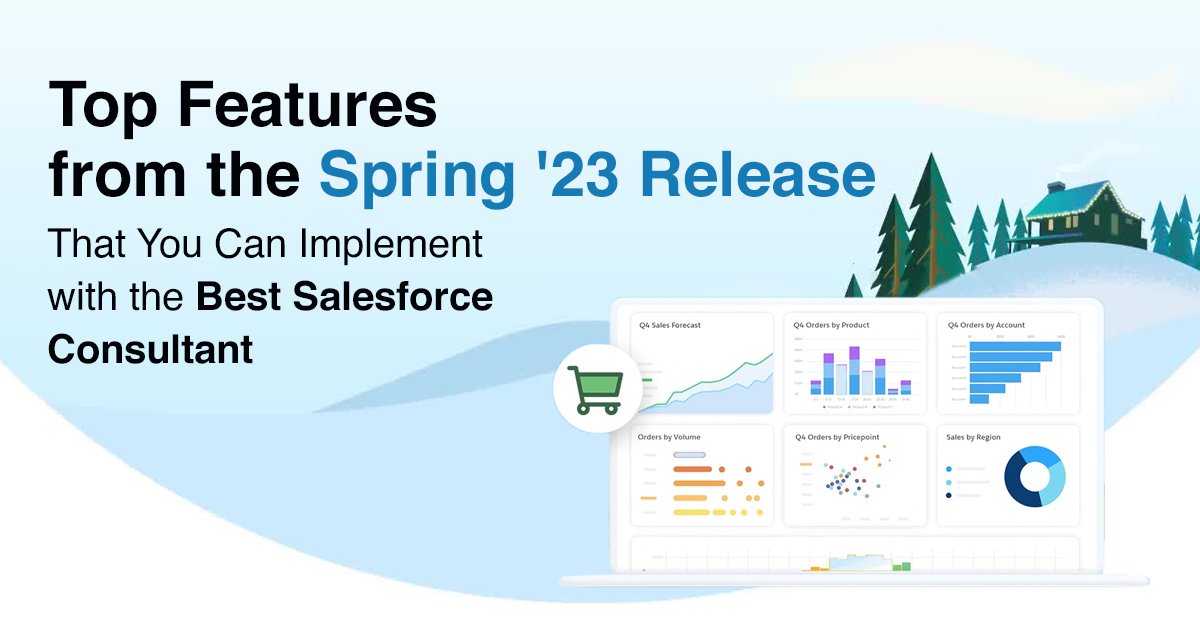
Top Features from the Spring ’23 Release That You Can Implement with the Best Salesforce Consultant

Salesforce has recently announced its Spring ’23 Release, packed with exciting new features and enhancements to help businesses boost their productivity, improve customer engagement, and drive growth. To make the most of these top features from Spring ‘23 release, companies need to work with the best Salesforce consultants with deep expertise in implementing and customizing Salesforce solutions.

 In this blog, we will explore some of the top features from the Spring ’23 Release and discuss how businesses can work with Salesforce consulting service to implement these features and make your Salesforce investment worthwhile. 

Top Features from the Spring ’23 Release That You Can Implement

Whether you want to have streamlined workflows or improve your customer experience, Spring ‘23 release has features to set everything right. So, let’s identify the top features you can implement with the help of the Salesforce CRM consulting service and keep your system updated with the new release.

1. Dynamic Forms for Cases and Leads

Earlier, Salesforce users were only able to use dynamic forms for standard objects such as Contact, Account, and Opportunity. But the new release will now enable them to use forms for leads and cases too. This feature will help to add flexibility for users in designing screens and applying conditional formatting that will help to eliminate the need to create multiple page layouts.

For example, when creating a new opportunity record, you’ll be able to display only a limited number of fields while in the early stages, adding ease and flexibility. This approach creates a less cluttered page that is easier to navigate, loads faster and is more likely to be completed accurately. 

As the opportunity moves to the next stage, you can reveal another section with relevant fields for that stage. This way, you can customize the page layout and provide the right information at the right time, improving user experience and overall productivity.

2. Organize Reports and Dashboards with Collections

The latest Salesforce update allows users to group related reports and dashboards into collections. This feature enables users to organize and consolidate Salesforce reports and dashboards, regardless of their folder locations, into a single collection. Users can then pin these collections to their home page and share them with others for easy access.

To enable this feature, navigate to Setup and enter “Reports” in the Quick Find box. Then select Reports and Dashboards Settings and choose “Enable the Unified Experience for Analytics Home”. Next, go to the Analytics app in the App Launcher and click the + button in the Collections panel on Unified Home. This opens the New Collection window, where users can enter the collection name and an optional description.

This feature saves users time and effort in locating and accessing related reports and dashboards. This feature also makes sharing collections with other users easier, allowing for improved collaboration and knowledge sharing within the organization.

3. Ability to Track Field History for Tasks and Events

Prior to the latest update, users did not have the capability to monitor the past records of fields related to tasks and events. This resulted in challenges in keeping track of modifications and determining the individual responsible for such changes. However, with the recent release, users can now utilize this feature to effortlessly trace the history of alterations, including information about the person who executed them and the corresponding timestamps.

4. Access Personalized Report Filters

You can now apply dynamic filtering to reports for your team by using the relative value of a user field such as Opportunity Owner or Created by. This allows you to use a single report that will adjust its filter dynamically based on the currently logged-in user, eliminating the need for multiple reports.

5. Enhance Dashboards with Graphics and Text (Beta)

In this release, adding text and graphics to dashboards is currently in beta testing. This feature will enable you to explain charts, describe metrics and KPIs, and add rich text to clarify tables, all within the dashboard context. 

You can also add company logos and branding, flow diagrams, and embedded images to enhance the visual representation of data. If you want to access this feature quickly, consider getting the desired help from trusted Salesforce consulting services.

6. Execute Screen Flows from Slack (Beta)

This feature can now enable you to easily execute a screen flow from Slack without input parameters. This can be done by either using shortcuts or by clicking on a button within Slack. 

You need to define an app or a view in Slack that triggers a flow with the “Make Available in Slack” advanced setting selected to access this feature. You can also build an app to provide users with global shortcuts, message shortcuts, or slash commands that can invoke flows from within Slack.

Access Top Features from the Spring ‘23 Release with Experienced Salesforce Developers

These are just a few features that could give you enhanced usability and productivity with Salesforce. Although you have these features in your knowledge now, to understand and implement them, having the support of reliable Salesforce development services is necessary. 

Being an experienced Salesforce development company, we know how important it is to keep your Salesforce solution updated. Thus, we can help you do the same, keeping your solution scalable for your growing business. Contact us if you want to know more about the latest release. 

New Flow Features from Spring ’23 Release To Improve Salesforce Development

Whenever Salesforce comes up with any new release, the attention of Salesforce developers first goes to check out the updates with Flows. The importance of Flows for developers is unmatched, considering its use in development activities. If you’re a Salesforce developer, it’s your cue to explore the new Flow features from Spring ‘23 release.

As Flow has become ready to replace Process Builder, it’s a great time to leverage the Flow features that could enhance the productivity of Salesforce developers while improving your Salesforce development quality and performance. 

So, before you start using Salesforce Flow to its full potential, you must know all its related features that have come up with Spring ‘23 release. So, let’s observe every latest feature you can access with Flows.

Flow Features from Spring ‘23 Release

Out of many updates, we’ve filtered some of the finest features you can access with Flow that will improve your development skills. 

1. Use Migrate to Flow to Switch from Process Builder to Flow

Migrate to Flow is a tool provided by Salesforce to help users transition from Process Builder to Flow. The tool is designed to make moving from one automation tool to another easier by converting Process Builder processes into equivalent flows. 

To access Migrate to Flow, you must go to the Setup menu and then choose the Processes you need to migrate to Flow’s main page. You can also take help from a Salesforce development company in the USA to access the feature. 

2. Use Click to Connect to External Data

With the new release, you can connect with external data just with a few clicks without struggling with complex code. This can easily be done by using HTTP Callouts for pulling external data into Flows. You must add the details related to the API you want to access. Then you’ll get an action generated by the Flow Builder, which you can use immediately.  

3. Save yourself from “Iteration Limited Exceeded” Errors with Flow

Previously, if you created a loop in a flow that triggered 2,000 flow elements, an error message “ITERATION_LIMIT_EXCEEDED” would be displayed. You’d get the message even if you didn’t hit governor limits like the number of DML statements or SOQL queries. 

This could be frustrating because you had to load 2,000 individual flow elements in a single transaction. However, with the enhancements to Salesforce’s governor limits over time, this limitation and error message has been removed in Spring ’23. These enhancements help similarly protect Salesforce’s resources, giving you more freedom and flexibility in building your flows.

4. Access Description Tooltips for New Flow Elements

Great news – the Spring ’23 release brings more minimalist design improvements! The lengthy descriptions of Flow elements that are only useful during the first few times of use are now hidden by default. You can still access them by hovering over the information icon.

The Logic Elements are also shown in a new, darker orange color to create a difference from other elements.

5. Use Interactive Screen Components

The wait is finally over! Spring ’23 brings the much-awaited feature of Flow Screens being updated based on actions from related components. Now, with different Flow components communicating and exchanging information without having to click “Next” and render a new page, the experience becomes even more seamless. 

However, note that this feature is still in beta and requires opt-in. You can find the opt-in checkbox in Process Automation Settings in the Setup menu. You can hire a Salesforce developer to help you understand and access the feature better.

6. Access Lookup Fields in Screen Flows

We’re sure many Salesforce developers have been waiting for this feature. Adding Standard and Custom Lookup Fields to your screen flow is even easier with the Spring ’23 update. Instead of combining the Object Fields feature with a new Custom Lookup Screen component, you can now drag and drop existing Lookup Fields from your Objects directly onto your screen flows with just a few clicks. This feature helps to streamline the process and save the user’s time.

7. Improved Multi-Select Picklists in Dynamic Forms

As Salesforce professionals, we have different opinions about Multi-Select Picklists. Regardless, we can all acknowledge the importance of having a cleaner way to display Multi-Select Picklists in Screen Flows to enhance the user experience. 

The good news is that Dynamic Forms for Screen Flow now supports Multi-Select Picklists. Additionally, the Checkbox Group and Multi-Select Choice components also offer multi-select picklists as options, making it easier for users to interact with and select multiple values.

8. No Need for Explicit Access to Apex Classes

With the Spring ’23 update, your flows will no longer fail due to the running user not having explicit access to an Apex Class that the flow references. This feature was initially introduced in Summer ’20 release and is now enforced across the board. If you’ve been experiencing this issue, it’s recommended that you enable this update as soon as possible to avoid any further disruptions.

9. Find Element Descriptions on Flow Canvas

Documentation of flows is crucial. Still, it can be achieved in most cases by providing clear guidance in the Description field of your Flow elements. With the Spring ’23 update, this process becomes even easier. 

By hovering over the Description icon, you can now view the value of the Element’s Description field. This feature streamlines the user interface by avoiding clutter and implementing intuitive design choices, improving end users’ experience.

10. Use the Running User’s Permission to Run Flows with REST API

Earlier, you used REST API to call flows. The Spring ’23 update allows you to access the flow using the running user’s permissions. As a result, the object and field-level permissions that the flow can access will be determined based on the running user’s permissions.

Implement New Flow Features from Spring ‘23 with Trusted Salesforce Experts

Now you know what Flow features can improve your development game this year. The next step is finding a Salesforce expert who can help you access all these features easily. That’s where you need the support of our Salesforce development company to access the new release the best way. Contact us and get the best Salesforce professionals to help you enable the new updates successfully.

What is Staff Augmentation, and how is it helpful when hiring Salesforce Developers on Contract?

Staff augmentation is a popular and effective approach to hiring specialized talent for short-term projects or supplementing your in-house team. With the increasing demand for Salesforce development skills, companies are turning to staff augmentation to help them find and hire Salesforce developers on a contract basis.

This blog will comprehensively overview staff augmentation and explore its benefits when hiring Salesforce developers. We will discuss how staff augmentation can help you access specialized skills and expertise quickly and cost-effectively, as well as the advantages you get when you hire a Salesforce developer over traditional full-time hires. 

Whether a small startup or a large enterprise, staff augmentation can help you meet your Salesforce development needs with greater flexibility, speed, and cost-effectiveness. So, let’s dive in and explore how staff augmentation can help you hire the best Salesforce developers for your team. 

What is Staff Augmentation for Salesforce?

Staff augmentation for Salesforce enables companies to hire a Salesforce developer to augment their existing teams for a limited period of time. This addresses a temporary increase in workload or a lack of specific Salesforce expertise in-house.

Under staff augmentation, the additional Salesforce professionals work alongside the existing team to provide extra support and resources. These professionals may include Salesforce administrators, developers, architects, consultants, and project managers.

The staff augmentation process usually involves a staffing agency specializing in Salesforce staffing, making it a reliable way for Salesforce outsourcing. The agency provides additional Salesforce professionals based on client requirements, including experience, skills, and qualifications. The client company interviews and selects the candidates that they deem most suitable for their specific needs.

Overall, staff augmentation for Salesforce is a cost-effective way for companies to address their Salesforce needs without going through the lengthy process of hiring full-time employees. It also enables companies to scale up or down their Salesforce team quickly, depending on their business needs.

Staff Augmentation to Hire Salesforce Developers

With staff augmentation, organizations can hire a Salesforce expert on a temporary or project basis through a staffing agency. This is done to augment the existing Salesforce development team, addressing temporary spikes in workload, specific project requirements, or a lack of in-house expertise.

The staff augmentation process involves identifying the specific skill sets required for the project, evaluating potential candidates based on their experience and qualifications, and conducting interviews to select the most suitable candidates for the project.

Hiring Salesforce developers with staff augmentation can be crucial for companies looking to optimize their Salesforce development processes. Some key reasons why hiring Salesforce developers through staff augmentation is important are as follows:

1. Access to a larger pool of talent

Staff augmentation provides companies with access to a larger pool of talent, particularly in specialized areas like Salesforce development. By partnering with a staffing agency specializing in Salesforce staffing, companies can tap into a network of experienced professionals with specialized skills and knowledge.

This is particularly important for companies with specific project requirements or needs to complete a project within a tight timeframe. With staff augmentation, companies can quickly identify and hire qualified professionals to augment their existing teams, ensuring they have the skills and expertise to complete the project successfully.

2. Flexibility and scalability

Staff augmentation is a flexible and scalable solution for companies looking to augment their workforce with specialized skills and expertise. Staff augmentation enables companies to quickly add or reduce headcount based on changing business needs, allowing them to remain agile and responsive to market demands.

For example, if a company needs to complete a specific project but lacks the in-house resources to do so, staff augmentation can enable you to hire Salesforce resources with the necessary skills and expertise to complete the project successfully. This can be particularly useful for companies with fluctuating project needs or experiencing seasonal spikes in workload.

Similarly, suppose a company needs to reduce headcount due to a slowdown in business. In that case, staff augmentation can provide a flexible solution without the cost and administrative burden associated with traditional layoffs. The staffing agency can quickly adjust the headcount as needed to align with the company’s changing business needs.

3. Cost-effectiveness

Staff augmentation is cost-effective for companies looking to augment their workforce with specialized skills and expertise. Staff augmentation allows companies to avoid the costs associated with hiring, onboarding, and training Salesforce developers as the staffing agency takes on these responsibilities. In addition, staffing firms increasingly rely on digital recruitment resources to track candidates, manage client relationships, and streamline recruitment operations.

Additionally, when you hire a Salesforce Lightning developer specializing in a particular skill set or area of expertise, companies can tap into a network of qualified professionals without the expense of maintaining a full-time staff. This is particularly useful for companies with specialized or temporary needs, where hiring full-time employees may not make sense.

4. Reduced risk

Staff augmentation can help reduce company risks in several ways. By partnering with a staffing agency specializing in a particular skill set or area of expertise, companies can access qualified professionals the agency has already vetted. This can reduce the risk of hiring an unqualified or inexperienced person who may not be able to perform the job to the required standard.

Additionally, staff augmentation allows companies to quickly scale their workforce up or down based on changing business needs. This can help mitigate the risks associated with staffing shortages, such as project delays, quality issues, or missed deadlines.

Consider Staff Augmentation to Hire Salesforce Developers

Staff augmentation is a valuable solution for companies looking to augment their existing workforce with specialized skills and expertise, such as hiring Salesforce developers on contract. 
By partnering with a reliable staffing agency with experienced Salesforce developers and other professionals who have worked on projects for different industry sectors, companies can access a larger pool of qualified professionals without the costs and administrative burden associated with traditional hiring. Contact us to uncover our available bench resources for staff augmentation and their skills to know how they’re just the right professionals to share your workload.

5 Reasons for Salesforce Implementation Failure and How to Avoid Them

Salesforce is a game-changing CRM tool that has helped businesses revolutionize their sales, marketing, and customer service operations. However, despite its many benefits, Salesforce implementation failure is a common issue that can cause headaches, delays, and costly mistakes. 

Whether you are a small business or a large enterprise, a failed Salesforce implementation can be frustrating and damaging to your bottom line. This blog will dive deep into the top 5 reasons for Salesforce implementation failure and provide practical tips and strategies to avoid them. 

By the end of this blog, you will have the tools and knowledge you need to ensure a successful Salesforce implementation and harness the full power of this incredible CRM tool. So, let’s start and learn how to make your Salesforce implementation a success!

Common Reasons For Salesforce Implementation Failure

While Salesforce has many benefits, including improved efficiency and better customer insights, implementation failure is a common problem that can occur during the implementation process. There are several reasons why Salesforce implementation can fail, like the following:

1. Poor Planning and Unclear Goals

Poor planning can lead to delays in implementation and budget overruns. Without a clear plan and timeline, businesses may encounter unexpected roadblocks and incur additional costs, resulting in implementation failure.

Also, inappropriate planning can result in incomplete or inaccurate Salesforce data migration. Suppose businesses do not clearly understand their data needs and how they will be migrated into Salesforce. In that case, they risk losing important data or creating data silos, leading to implementation failure.

Without proper planning, businesses may not configure their Salesforce system to meet their needs. This can lead to suboptimal system configuration, decreasing efficiency, and low user adoption. You’d never want to come across such situations, and to avoid that, creating a foolproof implementation plan is necessary.

2. Incompatible IT architecture

There can be issues of incompatible IT architecture in organizations that can cause data integration challenges. If Salesforce cannot integrate with existing systems, data silos may result in inaccurate reporting and decreased efficiency.

Not having a proper architecture can also cause poor system performance. If the hardware and software infrastructure is incompatible with Salesforce, businesses may experience slow load times, frequent system crashes, and other performance issues, leading to decreased efficiency. That’s something Salesforce partners can help you to avoid.

3. Poor Communication

Poor communication can lead to misaligned expectations between stakeholders, resulting in frustration and dissatisfaction with the implementation. It can also lead to inadequate user training. If users do not receive clear and consistent communication about the new system, they may not understand how to use it effectively, leading to low user adoption and decreased efficiency.

Not having proper communication can even result in a lack of user feedback. If users do not feel comfortable providing feedback, businesses may be unable to identify improvement areas, leading to decreased efficiency and user adoption. It can even cause resistance to change. If stakeholders do not understand the benefits of Salesforce implementation services, they may resist the change, leading to failure.

4. Absence of Hiring a Trusted Implementation Partner

Without a trusted implementation partner, businesses may lack the expertise required to implement Salesforce successfully. This can lead to implementation delays, budget overruns, and decreased efficiency. With the needed expertise, businesses may struggle with planning the implementation process effectively. This can result in misaligned expectations, inefficient use of resources, and implementation failure.

Providing adequate training and support to users could be troublesome when you don’t have a reliable Salesforce implementation consultant. This can result in low user adoption, decreased efficiency, and implementation failure.

5. Lack of Training

Without adequate training, users may not understand how to use Salesforce effectively, leading to low Salesforce user adoption and decreased efficiency. It is also possible that users may not understand how to enter and manage data effectively, leading to poor data quality, decreased efficiency, and inaccurate reporting.

Without proper training, users may not understand the full potential of Salesforce, leading to missed opportunities for increased efficiency, productivity, and revenue. In such situations, users may be more likely to make mistakes, leading to decreased efficiency and increased risk of data loss or security breaches.

Tips to Avoid Salesforce Implementation Failure

To avoid Salesforce implementation failure, businesses must take a strategic approach to implementation planning and execution. Here are some practical tips and strategies to help businesses avoid common implementation pitfalls:

  1. Involve Key Stakeholders: Involve key stakeholders in the implementation planning process, such as department heads and end-users. This will ensure that their needs and requirements are considered, and they are more likely to support the implementation.
  2. Customize Salesforce to Fit Your Needs: Salesforce is a highly customizable platform that can be tailored to meet the unique needs of your business. Take advantage of Salesforce customization to ensure the system meets your requirements.
  3. Prioritize Data Quality: Prioritize data quality from the outset of the implementation project. This will ensure that your data is accurate, complete, and consistent, essential for effective decision-making and reporting.
  4. Monitor User Adoption: Monitor user adoption regularly with the help of Salesforce implementation partners to ensure users use Salesforce effectively. This will help identify areas where additional training or support may be needed.
  5. Stay Up-to-Date with Salesforce Releases: Salesforce regularly releases new updates and features. Stay up-to-date with these releases to ensure you take advantage of the latest capabilities and enhancements.
  6. Establish a Governance Framework: Establish a governance framework to ensure the system is used consistently and effectively. This includes defining user roles and permissions, setting data management policies, and establishing data security protocols.

Avoid Salesforce Implementation Failure with the Best Experts

Salesforce implementation can be complex and challenging, and failure to implement the platform effectively can lead to significant problems and setbacks. By identifying the common reasons for Salesforce implementation failure, businesses can take steps to avoid these issues and ensure a successful implementation. 
This blog could be a great guide for your business to ensure a successful and error-free Salesforce implementation. While you keep everything in check, ensure you don’t miss out on hiring experienced Salesforce implementation services for a hassle-free process. Contact us to get your business the power of Salesforce CRM.

Improve Healthcare Digital Experiences with Salesforce Health Cloud

Welcome to a world where technology and healthcare intersect! As the world becomes increasingly digital, the healthcare industry is rapidly evolving to keep pace. In this new era, patient experiences matter more than ever, and that’s where Salesforce Health Cloud comes in to improve healthcare digital experiences. 

With the increasing demand for quality healthcare experiences, the need for innovative solutions has never been greater. Its powerful platform allows healthcare providers to improve patient engagement, streamline operations, and enhance healthcare experiences. 

This blog will explore how Salesforce Health Cloud can transform healthcare delivery and help providers create an exceptional digital healthcare experience. So, let’s dive in!

What is Salesforce Health Cloud?

Salesforce Health Cloud is a patient relationship management platform designed specifically for healthcare organizations. It is a part of the Salesforce Customer 360 platform, a suite of tools for managing customer data and interactions across various industries.

Salesforce Health Cloud enables healthcare providers to streamline patient engagement and manage patient relationships by centralizing patient data, providing real-time insights, and automating routine tasks. It also enables care teams to collaborate more efficiently, deliver personalized care, and improve patient outcomes.

How does Salesforce Health Cloud help to Improve Healthcare Digital Experiences?

There is a lot that Salesforce Health Cloud has to offer to deliver digital healthcare experiences for patients and staff. So, let’s dig in to uncover all the valuable features of Health Cloud

1. Improve Patient Experience

Health Cloud enables healthcare providers to view a patient’s complete medical history, preferences, and treatment plans in one place. This allows care teams to provide personalized care and tailored treatment plans based on the patient’s needs.

Salesforce Health Cloud has other features that help with the following:

  • Seamless communication through their preferred channel, such as email, text message, or video chat. 
  • Streamlined appointments by automating appointment scheduling and reminders, reducing wait times, and making it easier for patients to access care.
  • Connected healthcare by integrating wearables and other health monitoring devices, allowing patients to share real-time health data with their care team. 

2. Meet Payer Expectations

Health Cloud provides insurers with real-time access to patient health data, enabling them to make data-driven decisions and improve care coordination. With the help of Health Cloud developers, insurers can identify high-risk patients, improve care quality, and reduce costs.

Health Cloud enables insurers to collaborate with healthcare providers, promoting care coordination and improving patient outcomes. This can help insurers achieve better financial outcomes and meet quality metrics. Being a cloud-based platform, Health Cloud enables insurers to stay updated with the changes in the medical record and treatments 

Salesforce implementation for healthcare promotes patient engagement by enabling patients to communicate with their care team, access health data, and manage their care. This can lead to better health outcomes, reduced costs, and improved payer satisfaction.

3. Drive Patient and Customer Engagement in Pharmaceuticals

With the help of a Salesforce Health Cloud consultant, pharmaceutical companies engage with patients and customers through personalized communication channels, such as email, text messaging, or social media. This can help companies build relationships with patients and customers and tailor communication based on their preferences.

Let’s look into ways Health Cloud can enhance the digital experience for pharmaceutical businesses.

  • Health Cloud can help pharmaceutical companies create and manage patient support programs, such as medication reminders, side-effect management, and adherence coaching. 
  • Health Cloud enables pharmaceutical companies to collaborate with healthcare providers, facilitating information sharing and care coordination. 
  • Health Cloud can enable pharmaceutical companies to engage with patients and customers through digital channels, such as online communities or mobile applications. 
  • Health Cloud provides real-time analytics and reporting, enabling pharmaceutical companies to track patient and customer engagement metrics and identify areas for improvement. 

4. Innovate Medical Device Industry

Salesforce for med tech can help medical device companies innovate and transform the industry by enabling data-driven decision-making, improving collaboration, and enhancing customer engagement. 

When we talk about the medical device industry, it could involve anything from wearable to complex devices. All such devices can be maintained with Salesforce. Here are some ways in which Salesforce implementation for healthcare can support innovation in the medical device industry:

  • Health Cloud can enable medical device companies to build connected devices that can capture and transmit data to the cloud. This can help companies analyze device performance and patient outcomes in real time, improving product design and patient outcomes.
  • Health Cloud can facilitate collaboration among medical device companies, healthcare providers, and patients. This can help companies identify unmet needs, develop new products, and improve care coordination.
  • Health Cloud can enable medical device companies to engage with customers through personalized communication channels like email, social media, or mobile applications. This can help companies build brand loyalty, collect customer feedback, and drive product adoption.
  • Health Cloud can help medical device companies comply with regulatory requirements, such as the EU Medical Device Regulation (MDR) and the US Food and Drug Administration (FDA) regulations. This can help companies reduce compliance risks and ensure patient safety.
  • Health Cloud provides real-time analytics and reporting, enabling medical device companies to track device performance, patient outcomes, and customer engagement metrics. This can help companies make data-driven decisions and improve product design and customer experience.

Go Digital with Salesforce Health Cloud

Salesforce Health Cloud provides a comprehensive platform for healthcare organizations to improve digital experiences for patients and providers alike. With Salesforce Health Cloud, organizations can streamline data management, improve communication, and enable personalized care delivery, leading to better patient outcomes and improved provider satisfaction. Health Cloud can also help organizations meet payer expectations and comply with regulatory requirements, driving revenue growth and reducing compliance risk.

By leveraging Health Cloud’s robust features and capabilities, healthcare organizations can enhance patient engagement, optimize care delivery, and achieve operational efficiency. All these capabilities will make your organization grow digitally and serve patients better.  You only need to contact us and connect with our trusted Salesforce developers to leverage Salesforce for your healthcare institution.

logo Live Chat