
7 Best Pardot (Account Engagement) Alternatives for Salesforce Teams in 2026

360 Degree Cloud
18 Nov 2026
Table of Contents
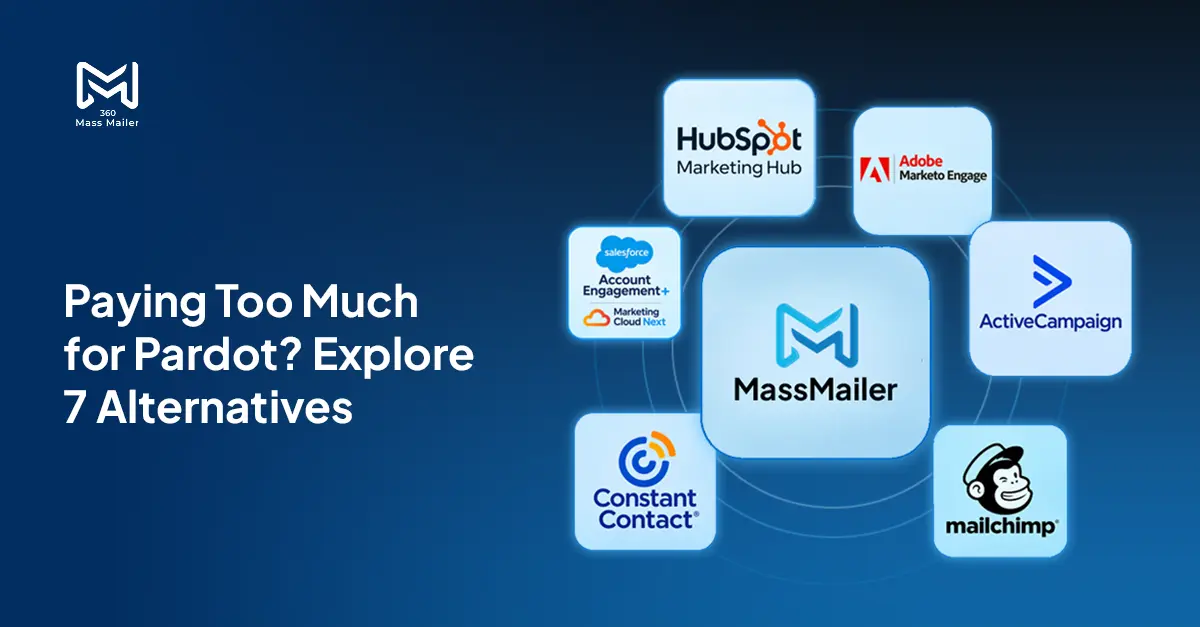
Paying $1,250 a month for Pardot when your team mostly sends newsletters, bulk emails, and follow-ups? You might be paying for far more marketing automation than you actually use.
Salesforce Marketing Cloud Account Engagement, formerly Pardot, is a powerful B2B marketing platform. But not every Salesforce team needs advanced lead scoring, multi-touch attribution, or complex marketing journeys.
Sometimes, all you need is reliable email sending, automated drip campaigns, and visibility into engagement without leaving Salesforce.
That’s where choosing the right Pardot alternative can make a difference.
Whether you’re looking for a simpler Account Engagement alternative, a Salesforce-native email solution, or a full marketing automation platform, this guide compares seven options based on pricing, Salesforce integration, automation capabilities, and practical limitations.
Table of Contents
Why Salesforce Teams Look for a Pardot Alternative
Pardot isn’t being discontinued. Salesforce renamed it Marketing Cloud Account Engagement and has expanded its offerings through Account Engagement+ and Marketing Cloud Next.
The question isn’t whether Pardot is going away. It’s whether your team needs everything you’re paying for.
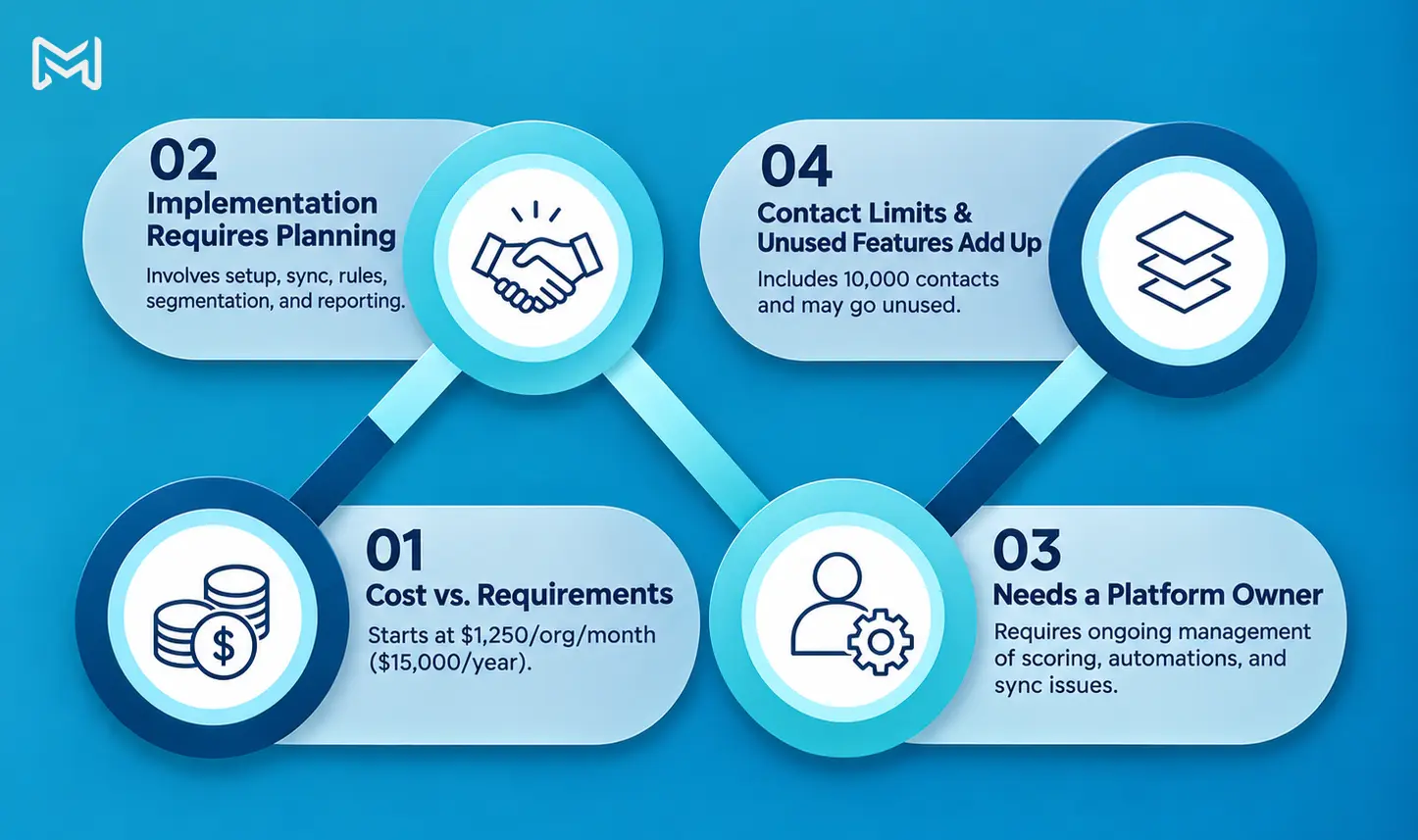
1. The Cost Doesn’t Always Match the Requirements
According to Salesforce’s official pricing, Account Engagement Growth+ starts at $1,250 per organization per month, billed annually.
That’s $15,000 a year before considering implementation, administration, or additional services.
For a team mainly sending monthly campaigns, event invitations, and follow-up sequences, that can be difficult to justify.
2. Implementation Requires Planning
Account Engagement supports advanced marketing automation, but configuring it properly involves more than connecting an email address.
Teams need to plan data synchronization, automation rules, segmentation, campaign attribution, permissions, and reporting. Depending on the complexity of the Salesforce environment, implementation can take weeks or months.
3. Someone Needs to Own the Platform
Complex engagement programs require ongoing attention. Marketing operations teams may need to maintain scoring rules, monitor automations, resolve synchronization issues, and optimize campaigns.
That investment makes sense when you’re running sophisticated B2B marketing programs. It can feel excessive when a Salesforce administrator or small marketing team simply needs to manage email outreach.
4. Contact Limits and Unused Features Add Up
Growth+ includes 10,000 contacts. Higher contact requirements and advanced capabilities can affect licensing decisions.
More importantly, features like advanced scoring, attribution, and account-based marketing create little value if your team never uses them.
The right alternative should match your actual workflows, not just offer the longest feature list.
Pardot Alternatives at a Glance
Here’s how seven Pardot alternatives for Salesforce compare.
| Tool | Best For | Salesforce Connection | Starting Price | Drip Campaigns | Free Trial |
|---|---|---|---|---|---|
| 360 Mass Mailer | Bulk email and drips in Salesforce | Native AppExchange app | $2,490/year | Yes | Yes |
| HubSpot Marketing Hub | Full marketing automation | Salesforce connector, eligible plans | $20/seat/month* | Yes, plan-dependent | Free tools |
| Adobe Marketo Engage | Enterprise B2B marketing | Native CRM sync | Custom quote | Yes | Demo |
| ActiveCampaign | Small-team automation | Connector, Enterprise tier | Contact-based quote | Yes | 14 days |
| Mailchimp | Newsletters and campaigns | Third-party integration | Free; paid from $13/month | Paid plans | Yes |
| Constant Contact | Simple email marketing | Integration/connector | $12/month | Plan-dependent | Yes |
| Account Engagement+ / Marketing Cloud Next | Advanced Salesforce marketing | Salesforce ecosystem | $1,250/month | Yes | Contact sales |
HubSpot’s publicly listed Starter rate begins at $20 per seat per month before promotional discounts. Its native Salesforce integration requires an eligible Professional or Enterprise subscription. Prices are in USD, subject to billing terms, audience size, and plan changes.
Looking for a simpler way to evaluate the options?
Download the Pardot alternatives comparison checklist and get rid of your confusion.
The 7 Best Pardot Alternatives for Salesforce Teams
1. 360 Mass Mailer: Best for Salesforce-Native Bulk Email and Drip Campaigns
If your team primarily uses Pardot to send email campaigns and automate follow-ups, 360 Mass Mailer is worth evaluating first.
Unlike standalone email marketing platforms, 360 Mass Mailer installs directly into Salesforce through AppExchange. Teams can manage recipients, send campaigns, schedule emails, and monitor engagement without switching between separate marketing dashboards.
It supports Salesforce Leads, Contacts, Campaign Members, Reports, and custom objects. That’s particularly useful for businesses managing customer data across specialized Salesforce objects.
Key capabilities include:
- Bulk email sending through SendGrid
- Automated multi-step drip campaigns
- Salesforce merge field personalization
- Email scheduling and reusable templates
- Open, click, bounce, and unsubscribe tracking
- Email sending from standard and custom objects
For example, a sales team can build a Salesforce drip campaign that automatically sends follow-up emails after a lead enters a particular stage. Campaign activity can then be reviewed inside Salesforce.
Pricing: $2,490 per company annually, equivalent to $207.50 per month. Confirm any separate SendGrid service costs when evaluating the total setup.
Best for: Sales Cloud users, Salesforce administrators, and marketing teams that want bulk emailing and straightforward nurture sequences inside their CRM.
Limitations: 360 Mass Mailer is not a complete replacement for advanced Pardot capabilities such as sophisticated lead scoring, multi-touch attribution, or enterprise account-based marketing.
If those features are central to your strategy, a full marketing automation platform may be more appropriate.
2. HubSpot Marketing Hub: Best for Full Marketing Automation
HubSpot Marketing Hub is a strong option for teams looking beyond email campaigns.
It combines email marketing, forms, landing pages, lead nurturing, audience segmentation, and campaign analytics in one marketing platform.
HubSpot is particularly useful when marketing teams want to manage much of their demand generation independently while continuing to use Salesforce as the sales CRM.
Its Salesforce integration supports synchronization of supported contacts, companies, deals, and activities. However, the integration requires an eligible Professional or Enterprise HubSpot subscription.
Marketing Hub Professional provides more sophisticated automation workflows and reporting capabilities than the basic Starter package.
Pricing: Starter begins at $20 per seat per month, while Professional starts at $890 per month on HubSpot’s standard published pricing. Professional also has a required onboarding fee, and marketing contact tiers can increase the total cost.
Best for: Growing marketing teams that need landing pages, lead nurturing, conversion reporting, and campaign management beyond basic email delivery.
Limitations: HubSpot introduces another marketing database alongside Salesforce. Teams must define field mappings, synchronization rules, and record ownership carefully.
The lower-priced Starter plan also doesn’t provide the same automation depth or Salesforce integration eligibility as Professional.
HubSpot makes more sense when you genuinely need a broader marketing platform, not simply a cheaper way to send Salesforce emails.
3. Adobe Marketo Engage: Best for Enterprise B2B Marketing
Adobe Marketo Engage is designed for organizations running sophisticated B2B marketing programs across large databases and lengthy sales cycles.
It supports advanced segmentation, campaign automation, lead scoring, nurturing, and marketing measurement.
For enterprise teams, its strength lies in managing multiple campaigns and engagement journeys across different customer segments.
Marketo also provides a native Salesforce CRM connector. It synchronizes supported Leads, Contacts, Campaigns, and other CRM information, although synchronization behavior varies by object.
This makes it suitable for businesses that want to retain Salesforce as their sales CRM while using a dedicated platform for marketing operations.
Pricing: Adobe uses custom pricing for its Growth, Select, Prime, and Ultimate packages. You’ll need a quote based on your requirements.
Best for: Enterprise B2B organizations with dedicated marketing operations teams, complex lead qualification processes, and sophisticated reporting requirements.
Limitations: Marketo isn’t necessarily a simpler or cheaper Pardot replacement.
Implementation, database management, campaign architecture, and ongoing administration can require significant expertise. Initial Salesforce synchronization also needs careful planning, particularly for large databases.
If your main Pardot complaint is that it’s too complex for everyday email campaigns, switching to Marketo may recreate the same problem.
However, for organizations that have outgrown their existing marketing automation capabilities, Marketo deserves consideration.
4. ActiveCampaign: Best for Flexible Email Automation
ActiveCampaign appeals to businesses looking for powerful email automation without immediately adopting a large enterprise marketing platform.
Its automation builder lets teams create sequences based on contact behavior, engagement activity, and configured triggers.
You can build welcome campaigns, lead nurturing sequences, re-engagement emails, and personalized follow-ups through its visual automation tools.
ActiveCampaign also offers audience segmentation, email templates, conditional content on eligible plans, and campaign reporting.
For Salesforce teams, the important detail is integration eligibility.
ActiveCampaign’s official Salesforce integration supports two-way synchronization, including lead and contact updates. However, the integration is available on its Enterprise plan, not the entry-level Starter plan.
Pricing: Contact-based subscription pricing, with a separate quote or plan selection needed for Enterprise-level Salesforce integration. A 14-day free trial is available.
Best for: Smaller marketing teams that want flexible automation and are comfortable running campaigns outside Salesforce.
Limitations: The pricing advantage of a basic ActiveCampaign subscription becomes less straightforward when native Salesforce connectivity is required.
Your team also needs to manage data synchronization and campaign activity across two systems.
ActiveCampaign is a good choice when automation flexibility matters more than keeping every campaign operation directly inside Salesforce.
5. Mailchimp: Best for Newsletters and Simple Email Campaigns
Mailchimp is one of the most recognizable email marketing tools, particularly for newsletters, announcements, and promotional campaigns.
Its interface makes it relatively easy for marketing teams to create branded emails, manage audiences, and review campaign performance.
Mailchimp provides templates, audience segmentation, sign-up forms, scheduling, and customer journey automation on eligible plans.
For smaller businesses, that can be enough.
Pricing: A limited free plan is available. Paid Essentials plans start at $13 per month, while Standard starts at $20 per month for the entry contact tier. Pricing increases with audience size and applicable limits.
Best for: Small marketing teams sending newsletters, product updates, event invitations, and relatively simple automated campaigns.
Limitations: Mailchimp isn’t a native Salesforce marketing platform.
Connecting it to Salesforce requires integration setup, and the extent of synchronization depends on the connector used.
That creates two places to manage customer information. Marketing teams work in Mailchimp while sales teams work in Salesforce.
When email engagement information needs to influence Salesforce follow-ups, reporting, or custom-object workflows, integration becomes more important.
For additional context, see our Salesforce email marketing tools comparison.
Mailchimp is a reasonable Pardot alternative when ease of email campaign creation matters more than Salesforce-native operations.
6. Constant Contact: Best for Straightforward Email Campaigns
Constant Contact focuses on making everyday email marketing accessible for businesses without dedicated marketing operations teams.
It provides a drag-and-drop email editor, templates, contact segmentation, campaign reporting, and automation features across its pricing tiers.
The platform also includes event and social marketing capabilities, making it useful for businesses that frequently communicate with customers through announcements, invitations, and newsletters.
Its Salesforce connection typically involves an integration that moves supported contact information between the systems.
For teams with straightforward email requirements, that can work well.
Pricing: Lite starts at $12 per month, Standard at $35 per month, and Premium at $80 per month. Final pricing depends on contact volume and plan selection. A free trial is available.
Best for: Small businesses, nonprofit organizations, and marketing teams focused on newsletters, customer updates, and uncomplicated email campaigns.
Limitations: Automation capabilities vary significantly by plan, and advanced workflows may require higher-tier subscriptions.
Salesforce users also need to consider where engagement information is stored and how it becomes available to their CRM teams.
If Salesforce is your primary system for managing sales activity, that extra connection may create administrative work.
Our Constant Contact vs. 360 Mass Mailer comparison explains the practical differences in synchronization, campaign tracking, and custom-object support.
Constant Contact works best when simple campaign creation matters more than deep Salesforce integration.
7. Staying in Salesforce: Account Engagement+ or Marketing Cloud Next
Not every team searching for Pardot alternatives for Salesforce needs to switch products.
Sometimes the right decision is to review how you’re using your existing Salesforce marketing investment.
Account Engagement+ combines existing Account Engagement capabilities with access to Marketing Cloud Next features, while Salesforce continues expanding Agentforce-powered marketing capabilities.
That includes opportunities to use AI-assisted campaign creation, personalization, lead nurturing, and broader customer engagement workflows.
For businesses already using Salesforce extensively, staying within the ecosystem can make sense.
The important distinction is that Account Engagement+ and Marketing Cloud Next are not simply cheaper email-sending replacements. They’re part of Salesforce’s broader marketing platform strategy.
Pricing: Account Engagement Growth+ starts at $1,250 per organization per month, billed annually. Higher editions offer additional capabilities at higher prices.
Best for: Organizations using advanced scoring, B2B attribution, sophisticated lead nurturing, account-based marketing, or Agentforce-related marketing workflows.
Limitations: Licensing costs and platform complexity remain important considerations.
Teams seeking only newsletters, bulk sends, and basic drip campaigns may continue paying for capabilities they don’t use.
Before evaluating a broader Salesforce Marketing Cloud alternative, check which features your marketing and sales processes genuinely depend on.
If advanced qualification and attribution contribute directly to your revenue strategy, remaining with Salesforce’s marketing ecosystem may be the more practical decision.
How to Choose the Right Account Engagement Alternative
The best Account Engagement alternative depends on what your team actually does with its marketing platform.
Four questions can help narrow the decision.
1. Do You Really Need Lead Scoring and Attribution?
If your marketing team relies on scoring prospects, attributing pipeline to campaigns, and running account-based programs, consider HubSpot Professional, Marketo Engage, or Account Engagement+.
If you’re mainly sending newsletters, announcements, and follow-up emails, a dedicated email solution may offer better value.
2. Who Will Manage Your Campaigns?
A dedicated marketing operations team can maintain complex automations, integrations, and reporting frameworks.
But if your Salesforce admin also manages email campaigns, a simpler solution may reduce the operational burden.
Choose software your team can maintain, not just software it can purchase.
3. Where Should Your Customer Data Live?
This is particularly important for Salesforce-first businesses.
With standalone marketing platforms, Salesforce records and marketing data need to stay synchronized.
A native solution can reduce that dependency by keeping campaign management and engagement reporting inside Salesforce.
For teams prioritizing CRM-based workflows, explore Salesforce mass email capabilities before adding another marketing database.
4. How Many Emails Do You Send?
Compare expected email volume, audience size, contact limits, sending allowances, and overage charges.
A low entry price can become expensive as your database grows.
For higher-volume Salesforce campaigns, also evaluate delivery services, unsubscribe management, bounce handling, and whether campaign activity is reportable through Salesforce.
The goal isn’t to replace Pardot with the cheapest tool. It’s to find the right capabilities at a cost your team can justify.
Conclusion
Pardot remains a capable marketing automation platform, and Salesforce continues investing in its broader marketing ecosystem.
But capability and value aren’t always the same thing.
HubSpot and Marketo make sense for teams investing in sophisticated marketing automation. ActiveCampaign offers flexible nurturing workflows. Mailchimp and Constant Contact serve simpler campaign requirements.
For Salesforce teams that primarily need bulk email, personalized follow-ups, and drip automation without managing another marketing platform, 360 Mass Mailer offers a more focused alternative.
With Salesforce-native campaign management, custom-object support, and predictable company-wide pricing, teams can concentrate on sending effective emails rather than maintaining features they rarely use.


Solve It with Salesforce. We’ll Show You How.
AI. Apps. Experts. Everything you need to win with Salesforce under one roof.Frequently Asked Questions
Is Salesforce discontinuing Pardot?
No. Salesforce is not discontinuing Pardot. The product was renamed Marketing Cloud Account Engagement, and Salesforce now offers Account Engagement+ alongside Marketing Cloud Next capabilities. Existing customers should review their current licensing and available features rather than assume they must migrate to another product.
What is the cheapest Pardot alternative for Salesforce?
Mailchimp offers a free entry-level plan, while Constant Contact and other email platforms have relatively low starting prices. However, those prices don't necessarily include the Salesforce integration capabilities your team needs. For Salesforce-native email campaigns, 360 Mass Mailer costs $2,490 per company annually. Compare the total cost of licensing, integration, email delivery, and administration before choosing.
Can I send drip campaigns from Salesforce without Pardot?
Yes. You can run automated email sequences without subscribing to Account Engagement. For example, 360 Mass Mailer supports multi-step drip email automation in Salesforce, including timed follow-ups, personalization, and record-based triggers. You can also use external marketing platforms, although they may require connectors to synchronize records with Salesforce.
What do I lose when I move off Account Engagement?
That depends on the replacement. Moving to a simpler email marketing tool may mean losing advanced lead scoring, prospect grading, multi-touch attribution, sophisticated engagement programs, and some reporting capabilities. Before migrating, document your current automation rules, scoring models, campaigns, Salesforce field mappings, and reporting dependencies. If those capabilities are essential to lead qualification or revenue attribution, evaluate a full marketing automation platform rather than a basic bulk email sender.
About the author
Editorial TeamThe Editorial Team at 360 Degree Cloud brings together seasoned marketers, Salesforce specialists, and technology writers who are passionate about simplifying complex ideas into meaningful insights. With deep expertise in Salesforce solutions, B2B SaaS, and digital transformation, the team curates thought leadership content, industry trends, and practical guides that help businesses navigate growth with clarity and confidence. Every piece we publish reflects our commitment to delivering value, fostering innovation, and connecting readers with the evolving Salesforce ecosystem.
Recent Blogs
 Email Marketing
Send Email to Multiple Recipients in Salesforce Flow: What Works and Where It Breaks
You’ve got a Flow that fires on a record update. You need it to send email to multiple recipients in Salesforce. The logic seems simple:…
Read More Comparison
7 Best Drip Campaign Tools for Salesforce in 2026: Features, Limits, and Pricing Compared
Most comparisons of the best drip campaign tools for Salesforce make the same mistake: they treat native tools and connected tools as if they’re interchangeable.…
Read More Email Marketing
Why Your Salesforce Mass Emails Are Not Getting Through: Deliverability Mistakes Teams Make
Salesforce email deliverability problems don’t announce themselves. Open rates drop slowly. Bounce rates creep up. Then one campaign lands in spam for half your list,…
Read MoreReady to Make the Most Out of Your Salesforce Instance?
Our Salesforce aces would be happy to help you. Just drop us a line at contact@360degreecloud.com, and we’ll take it from there!
Subscribe to our newsletter
Stay ahead with expert insights, industry trends, and exclusive resources—delivered straight to your inbox.