Talk to Us

Does Professional Pedigree matter for Salesforce Roles?

There is usually a lot of discussion in the business world about hiring and retaining great talent, focusing on pedigree or potential. That’s where this question comes up: what is more important to a company when hiring for executive jobs in the Salesforce ecosystem – the professional pedigree of an individual or the potential?

When we look at major Salesforce-based companies, some candidates have both the pedigree and an undying motivation to make things happen and reach out to the goals. But unfortunately, these types of candidates are quite rare. It is the reason most companies find their way back to the argument of Pedigree vs. Potential.

Applicants for a Salesforce role should demonstrate their unique skills and capabilities to overcome adversity and move to success while maintaining excellence. But the question remains: How critical is it to look for a professional pedigree in a working environment?

Every student dreams of getting into one of the Ivy League universities. Students are willing to take on crippling financial obligations to get the required pedigree that could help them get a place in a good company. 

But what exactly are the advantages of this pedigree? A prestigious degree and personal connections to powerful networks, and you gain direct entry into companies. But what if the candidate won’t have the needed skills and motivation for the job? Now, we cannot call this a good hiring for any Salesforce firm.

The candidate might be given a good position in the company without any effort on his part. This might be the easiest way for the Salesforce companies to hire a candidate. But the question to ask is – how good is this for encouraging creativity and innovation in the work culture?

The Preference Goes to Potential

Many research favors assessing candidates based on their potential, not their pedigree. Potential is the ability to adapt and grow in increasingly complex roles and business environments. The question is not whether the people belong to an impressive educational or professional background, but whether they have the potential to learn new skills, deliver exceptional Salesforce services, and dwell in the work culture.

A Gallup survey presents the importance of potential in today’s corporate environment. According to the top US business leaders, the level of importance is ranked into four distinct factors for hiring. These factors were: the amount of knowledge, applied skills, college major, and the university from which the candidate received their college degree. Only 9% thought it was important to consider the university in which a candidate has studied. 84% percent of business leaders said it is important to focus on the knowledge a person has in his particular field, followed by 79% who said it is important for the candidate to have the applied skills.

What can be done to maintain a Balance of Professional Pedigree and Potential?

Even though people might have equal talent, but opportunity is not equally distributed. The imbalance in professional pedigree and potential should be resolved to create a new version grounded on competency. 

The need here is to bring intelligence to technology. Technology has flattened access to job opportunities and also broadened candidate pools. But it won’t be any worth without intelligence. Without intelligent intermediation, it would just be more noise, more work, more decision fatigue, and more despair for companies. 

Combining the automated screening process with intelligent online assessments can help you make a credible decision on who can be an ideal fit for the business and help achieve success with Salesforce projects. This filtering layer would act as a combination of technology and human touch to make sure that the real talent doesn’t slip through cracks.

Refocus from Professional Pedigree to what Matters

Although many people with good professional pedigree leave a nice impression, there are people too for whom prior experience often paints a misleading and incomplete picture. It’s time to think beyond pedigree and refocus on potential so everyone can get a shot at getting a fulfilling professional experience. What matters here is to build a team based on merit and performance instead of pedigree and connections.

We at 360 Degree Cloud have a team of Salesforce professionals with great potential and skills to deliver the best results. Contact us to know how our experts can serve your business.

Steps to a Successful UI/UX Design Implementation

With companies focusing on delivering the best customer experience, constant efforts are made to improve the User Interface (UI) and User Experience (UX) design of the website or solution. The demand for UI/UX design implementation is continuing to grow. Designers follow many disciplines to create a better online experience for everyone by improving accessibility, user research, and prototyping. We can thus say that UI and UX design covers a vast area, exceeding the simple wireframes.

Businesses are very much convinced about the efficacy of UX, but they don’t know that the results can be outstanding. Studies show that strategic UX design can boost conversion rates by 400% and minimizes the development time.

How To Achieve a Successful UI/UX Design Implementation?

So far, we know the importance of UI/UX, but we should also know how to achieve a design that gives results. Here we have outlined some processes that help to achieve a successful UI/UX design implementation. 

1. Project Discovery

This is the first and the most important stage of any UI/UX design implementation, the discovery process. In this phase, the designers will understand business challenges and get a closer look at the stakeholders. Without thorough discovery, it will be a struggle to get off the ground to get the right design. During discovery, many teams find it helpful to convert PDF to mind map, making it easier to organize research notes, stakeholder inputs, and requirements in a clear, structured way.

The designers might take the time and consideration to absorb your business environment and ask the questions to determine what your audience needs from the end product.

2. Process Mapping

After exploring the discovery phase, designers will have to map out the existing processes. The ‘As-Is’ mapping will identify the problems, which can be possible bottlenecks and areas having an under-developed resource. 

This explorative stage will form the basis of the ‘To-Be’ processes. Here you will set out a loose structure to fix any significant pain points from the as-is design.

3. User Research

After the process mapping, extensive UI/UX design research is performed to identify the key players in your market. This will help to inform the look and feel of the website or application. This user research forms the basis for the wireframe prototype.

The research is more than just assembling a mood board of brands. It is the stage where you reach out to real customers for feedback on the existing product and their ideal end product. UI and UX user research can provide actionable UI and UX insights that will help in development.

The best approach to conduct user research is to use a mixed-method approach to quantify wider opinion for validity and create a rich contextualized view of your customers’ behaviors and attitudes.

4. Prototyping & Testing

Designers and platform app builders will use every information learned to deliver a tangible prototype that can be tested with users. Take a step back to determine whether the product in its current state can solve the issues identified in stage one. That is to check if it is meeting the needs of the users at every juncture?

The prototype can be of two versions:

  • Low Fidelity (Low-Fi)
  • High Fidelity (High-Fi)

Low-Fi prototypes are paper-based and initial designs that tell the look and feel of a product. High-Fi prototypes are designs closer to the MVP or a product release.

5. Development Handover

From here developers will take over the work to turn the digital product into a reality. After implementing any changes required after the prototyping phase, assets are exported to developers.

By this time, you’ll be sure that the UI and UX design will meet user expectations so you can get more creative. Designers can use design assets such as micro-animations, iconography, and video to make the interface more influential. Many agencies specializing in Grantham web design also follow these structured UI/UX processes to ensure every digital product delivers a seamless experience.

Get Your Business The Support from Pros for UI/UX Design Implementation

This tour of a UI and UX design project roadmap will help you know all the stages that will be covered to get an interactive and influential design for your site or application. 

To get off the ground on the right foot, you’ll need the help and guidance of experienced UI/UX designers and Salesforce experts who know their way well through the process of design implementation.

Talk to us to know how we can help you deliver the best customer experience with a suitable UI/UX for your product.

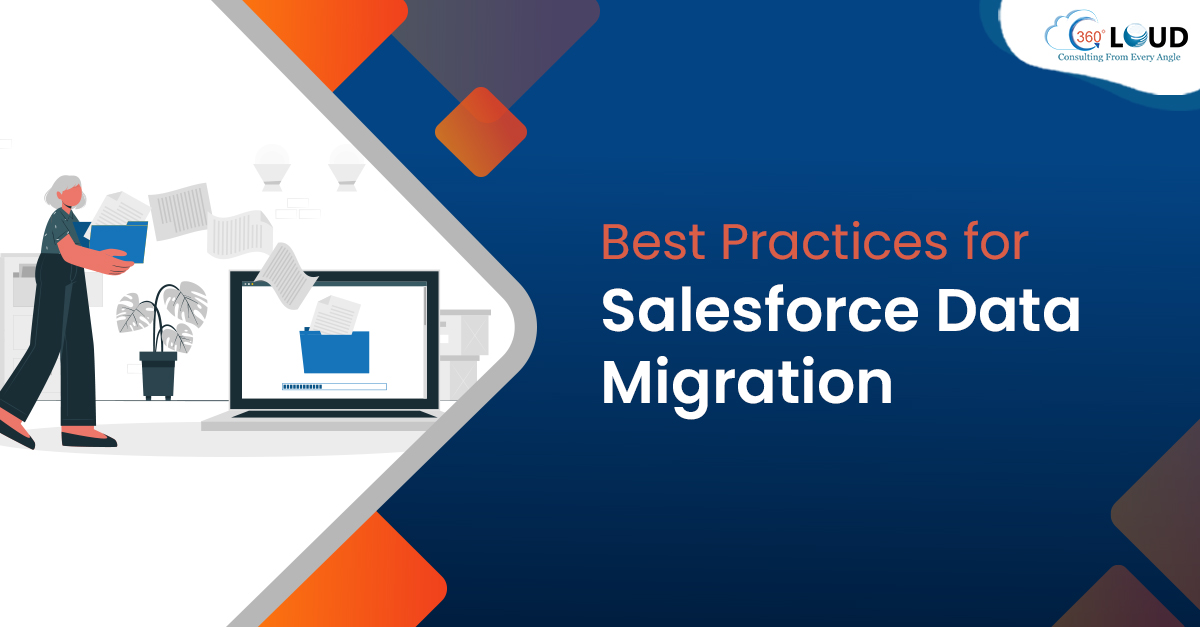
Best Practices for Salesforce Data Migration

Conducting data migration from or into Salesforce can be time-consuming but a necessary task. The data migration process in Salesforce is a challenge for any enterprise. You might face both organizational and technical challenges, which should be managed and resolved for a smooth Salesforce integration process. Therefore you might need Salesforce developers who follow best practices for Salesforce data migration to ensure a smooth transition. 

While working on data migration, there are chances that the data might get misaligned. It is possible because of reasons like:

  • Companies might have databased managed by disparate segments or departments.
  • Inappropriate synchronization of data with Salesforce.
  • Legacy systems might not communicate with the APIs or have unnecessary data. 

To overcome these issues, companies need a strategy by experts who are well-versed with the best practices for Salesforce data migration.

What are the Best Practices for Salesforce Data Migration

The goal of data migration is to keep data in a centralized location, clean, and up-to-date. The experienced Salesforce integration partners follow the best practices for Salesforce data migration, which are listed below: 

1. Have a Data Governance Plan

The first best practice for successful data migration is to create and commit to a data governance plan. 

Your business should follow a clear process for data migration, ensuring all stakeholders are on the same page. The plan can be an enterprise-wide data management initiative, or it can be a simple agreement between the individuals responsible for Salesforce and the system data management. Following Salesforce governance best practices creates an ongoing process for CRM data migration, ensuring data is cleaned for the migration.

2. Ensure Data is Organized

The process of data migration would not be a success without focusing on data quality. You need to have clean source data to get started. If you are using a custom field, it should go through a rigorous vetting process that will explain what the field is, how it will be used, and identify the good or bad data. 

Salesforce administrators will use this information to create validation rules, pick lists, and field dependences that will help to perform data mapping. Sometimes, validation rules and pick lists might not be enough to ensure quality data. You can run regular reports to audit the field and check for junk data.

3. Get Started with a Pilot Project

Salesforce has a flexible data structure, but it can conflict with existing systems that follow inappropriate and inflexible data governance processes. This can lead to tension between different departments. One of the best practices for Salesforce data migration is to start with a simple pilot project for the team to understand how CRM can perform easy data import.

You might have useful sales data in an older, less flexible database where it’s hard to extract value from that information. You can use default data settings in Salesforce to filter out garbage data and bring that legacy data into the Salesforce CRM database. After that, you can use Salesforce reporting to extract trends and identify purchase behavior. 

A pilot project will help understand the value, allowing the data governance team and other departments to be more ready for Salesforce data migration.

4. Monitor the Integration

Data migrations and integrations can be ongoing projects, and this is where companies make the mistake of considering it a one-time thing. It is important to focus on constant monitoring to make sure data conforms to the standard. This can be avoided in two ways:

  • You can use a tool here for integration to identify data issues and get timely alerts about them. 
  • You can run exception reports to identify data that doesn’t conform to the standard.

For best results, you should maintain a combination of an integration tool and reports. Consider using Salesforce dashboard tools to track progress on data quality and duplicate records. 

5. Use Third-Party Data Integration Tools

Using the best technology is a way to strengthen your plan for the data migration process in Salesforce. You need a strong process backed by technologies and tools to perform data integration that goes well with the company. Weak technology can cause a good integration plan to fall short, and this is something you will never want.

Using third-party tools can be of great support here as it provides numerous features that could make your work with Salesforce easier:

  • You can go for drag-and-drop tools to build data pipelines while cleansing and checking data.
  • Tools can help to achieve fully configurable pipelines that can give alerts for bad data.
  • Third-party tools ensure secure integration of processes behind your firewall using Salesforce.

Get Experts Who Follow Best Practices for Salesforce Data Migration

To start extracting value from your Salesforce implementation, you must ensure that your data migration from the legacy system goes smoothly and safely. Even if you are aware of best practices, you might end up making a mistake, which can have a negative result for your business.

You need a team that can be trusted with Salesforce data migration, ensuring a smooth data flow without any data loss. Talk to our experts and find out how we can help you with your Salesforce-related business needs.

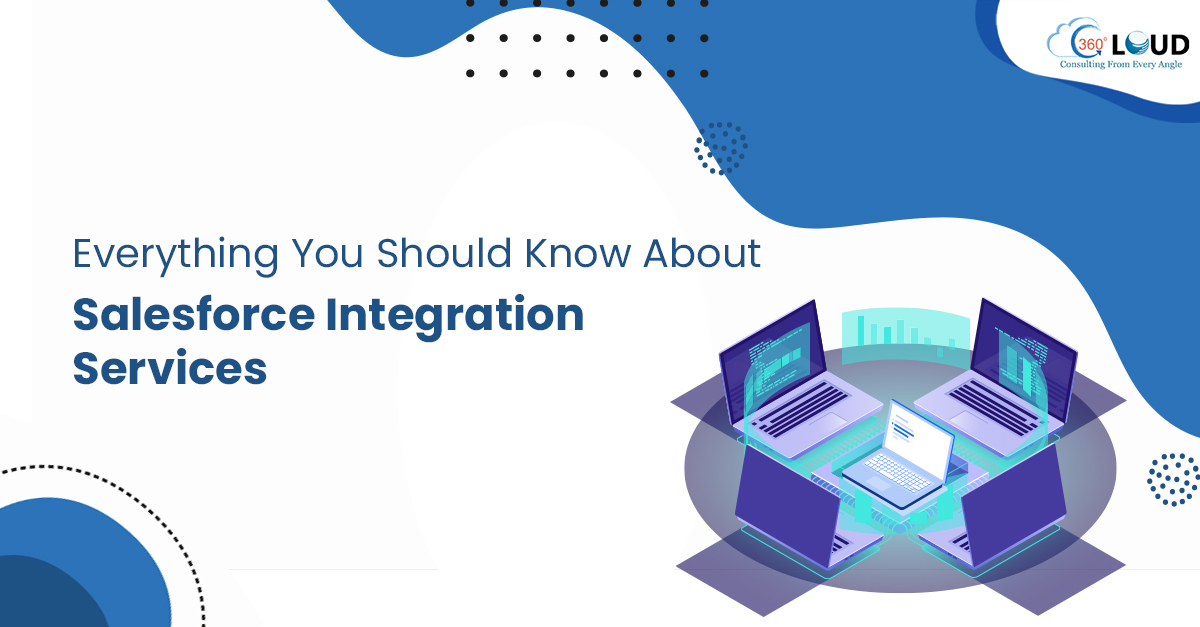
Everything You Should Know About Salesforce Integration Services

As businesses are becoming technology-driven, organizations have started leveraging mission-critical systems to simplify their work and automate their business processes. Salesforce is the customer relationship management system that has won the trust of many companies, helping them hold data about customers and prospects securely together. But along with Salesforce, companies tend to use other third-party systems too and consider hiring Salesforce integration services to get those systems integrated with Salesforce.

Salesforce has become more efficient with its built-in integration capabilities that help collaborate multiple systems used by a team, achieving a single view of all the data on Salesforce. Salesforce integration saves them time from switching between systems for any essential information. 

Why You Need Salesforce Integration Services

Hiring experienced Salesforce integration services can help you develop custom integration modules, achieving cost-effective integration between multiple systems. Integration can help you with;

  • Connecting the front office teams like marketing, sales, and customer support with back-end processes. 
  • Get a 360-degree customer view.
  • Easily automate business processes.
  • Enabling sales team to access data and functionality through Salesforce
  • Better user experience with a single authorization across different platforms and tools.

Benefits of Integrating Third-Party Apps with Salesforce 

Companies have already started using Salesforce for integrating other systems to boost results and enhance productivity. Hiring Salesforce integration services to get the work done can provide numerous benefits to organizations like:

  • All-in-one access: With integration, employees won’t have to switch systems to look for any needed information. They can stay logged on Salesforce to access any system information.
  • Automates workflows: Integrating different systems can automate their workflows with point-and-click without needing any additional code.
  • Increases productivity: Teams in an organization have a lot of work, cutting and pasting data to make sure it is visible in all systems. But these kinds of manual tasks can lead to mistakes and errors. Integrated systems allow automated checks and balances to make sure the same information is available through each system. 
  • Better communication: One department may be more comfortable with Salesforce while another could prefer working with a different system. Salesforce integration services can help connect the two systems, allowing teams to work in the system they prefer, streamlining communications and better information sharing.
  • Insightful reporting: With Salesforce integration, employees can get more detailed and relevant reports to make better decisions.

Challenges Salesforce Integration Can Solve

It is known that no out-of-the-box integration software can match the unique needs of a company. This is where they seek to find a unique and specific solution for their business needs. With Salesforce integration tools and services, you can get advice on an optimum integration plan that goes well with your business objects and complexity, solving the following challenges:

  • Integrating multiple systems provided by different vendors. 
  • Performing integration with complex custom solutions.
  • Integrating different CRM solutions used in different regional branches.
  • Achieving real-time data synchronization.
  • Getting full visibility of information flow between multiple systems integration together.

Hire Salesforce Integration Services to Overcome Your Integration Challenges

If you are working with multiple platforms, you might already have realized how hectic it could be to track and access information on every system. You need a team that can help to build a well-defined integration methodology to execute successful Salesforce integration. 

We at 360 Degree Cloud have a team of Salesforce integration consultants who are highly knowledgeable and equipped to understand your business needs and challenges to resolve them with an optimized plan of Salesforce integration. Contact us to learn more about Salesforce integration options that your business might need to increase work efficiency and productivity,

All About AppExchange Development

With growing businesses and never-ending expansions, there is more and more need for applications that could simplify the business operations while keeping the vast team on the same page. AppExchange development is a way to achieve enterprise-level applications that could deliver value to the business, keeping the employees and customers connected. 

Businesses have already started looking for certified Salesforce experts to get powerful business-centric Salesforce apps developed that could ease up their complex and time-taking administrative, sales, and marketing tasks. But AppExchange development is not just about getting an app development. There’s much more to it.

What is Included in AppExchange Development?

Realizing the need for Salesforce apps for businesses, there are top Salesforce partners who have stepped up with a range of AppExchange services covered under AppExchange development. Here we have listed some of the services that are majorly needed:

1. AppExchange App Planning

With expert Salesforce partners, you’ll be getting a team that will work on complete planning for AppExchange development. They will be handling everything, from choosing the app to build for your business– whether you need a Force.com native app or a hybrid app to creating a plan to manage the entire life-cycle of the Appexchange app development. 

In AppExchange planning, the experts would mainly cover the aspects like:

  • Creating app architecture blueprint
  • Working on app prototype development
  • Performing competitive analysis
  • Creating a go-to-market app strategy

2. AppExchange App Development

The main focus in AppExchange development is the main app development, working on building all its needed features and attributes that could make the application usable and helpful for end-users. Hiring certified Salesforce AppExchange developers and consultants can help you throughout the development process, supporting you with the right Appexchange App design, development, and packaging requirements.

The development process covered by the Salesforce developers would mainly include the following steps:

  • App designing
  • App development
  • App packaging
  • Working with custom connector
  • Handling adapter development
  • Product migration to Force.com

3. AppExchange Security Review Assistance

Even after the app development is done, it would only be considered half of the work. If your application is not able to get through AppExchange Security Review, it can’t get listed on the platform, making the app of no use. 

To get your application listed on AppExchange, the application is required to pass a security review conducted by the security team of Salesforce.com. The app would get through the review only if an app abides by all the security standards mentioned by Salesforce. To make this possible, you need Salesforce experts who can conduct an external review and craft an application that passes through the security review process. An efficient Salesforce development company should offer:

  • External security review
  • Salesforce.com security review assistance

4. AppExchange Management

It can be possible that you might already have an application listed on AppExchange. But the question is if your work is done by getting the app listed on AppExchange? The truth is that even after getting your app published on AppExchange, it has to be regularly managed. 

This is where you need a service that offers you AppExchange management by providing cost-effective services to manage your apps. These services can include:

  • AppExchange launch
  • AppExchange marketing
  • AppExchange support
  • Customer training for user adoption

Get An AppExchange Development Team That Delivers the Best

With everything said, you would have noticed that there’s a lot covered in AppExchange development, and it is much more than building an app. So to leverage AppExchange, you need a team of Salesforce experts who is well-versed with AppExchange planning and app development and can be trusted with ap management after it is listed. 

We at 360 Degree Cloud have a team of certified Salesforce developers with experience in developing and listing AppExchange applications by successfully getting them through Salesforce Security Review. Contact us to know how our services could help your business run more efficiently.

Salesforce for Manufacturing to Optimize Productivity

The manufacturing sector has witnessed a complete, factory-wide digital makeover. The industries have leveraged technologies like artificial intelligence (AI), robotics, and blockchain. Salesforce for manufacturing leads this race of technologies, providing manufacturing companies every capability that speeds up their processes while improving work efficiency.

The digital transformation has a significant effect on the factory floor and associated supply chain, improving the business side of manufacturing. Salesforce has a great role to play in the manufacturing sector, providing customized features that help to optimize sales productivity.

Using Salesforce for Manufacturing to Optimize Productivity

With the need to gain more business, manufacturing companies are making every effort to speed up their work while smoothly managing the expansion. Here’s how organizations have been using Salesforce for manufacturing to optimize productivity.

1. Emphasize on Things That Matter

Studies show that manufacturing sales reps spend 37% of their time selling in a week. They spend time checking account history, contact information, or order status, which can be stated as the time lost on closing deals. This can contribute to sales representatives missing quota. This is where manufacturing sales representatives can leverage Salesforce Einstein to use AI as the technology to improve sales efficiency.

Salesforce helps the sales team allocate their time more efficiently by:

  • Making it easier and time-saving to manage administrative tasks, like entering email, meeting, and contact data, while spending more time selling. 
  • It helps minimize the use of discrete tools by sales representatives by providing custom fields and capabilities.
  • Salesforce allows account representatives to identify the opportunities which hold more promise and help prioritize those.

2. Speed Up the Delivery

Speed and manufacturing go hand-in-hand. Speedy manufacturing ensures quick production, which makes it easier to deliver to customer demands. But agile principles or lean manufacturing might end up being limited on the production line. Customers these days expect responsiveness and speed, and Salesforce for manufacturing helps to deliver that. Here’s how Salesforce helps to speed up delivery:

  • It helps new team members to ramp up and quickly understand the patterns and processes to manage data and speed up operations.
  • Salesforce provides the process to handle inbound leads and automatically route the leads.
  • The Salesforce platform helps to keep conversations meaningful by easily segmenting all customer and employee conversations.

3. Integration for Sales Productivity

Sales teams with multiple systems need to prioritize the highest value activities with minimal time spent switching and modern tools powered by AI in manufacturing support this efficiency. Still, sales representatives might have to use multiple tools, which takes up a lot of their time. 

Salesforce for manufacturing helps to reduce the number of necessary tools to deal with data sources. But while you use Salesforce, there are some issues that you might need to consider and fix first:

  • Know the way to get the real-time product, price, and customer data from systems to manage orders and quickly resolve cases.
  • Integrating third-party applications into your CRM.

4. Better Customer Relationships through Quoting

The ultimate goal of your business is to close more deals. This is where it matters how good you are at creating quotes. For manufacturers with numerous product catalogs, it can be a manual, error-prone process to prepare a quote that might slow down the deal flow frustrate prospects.

Here’s everything important for pricing:

  • The sales reps should be aware of the process of generating a quote and the time it takes to do so. 
  • The representatives should position the services and warranties right when doing the pricing.
  • It is also important to know how to collaborate with distributors and resellers and the channel used to sharing the product catalog.

Leverage Salesforce for Manufacturing for your Business

The manufacturing industry is only going to get more complex and competitive. This will open opportunities for savvy players to implement advanced technologies to increase productivity and delivery. 

Start your digital transformation journey by leveraging Salesforce for your manufacturing business and achieve significant growth possibilities and maximum efficiency. To know more about how experienced Salesforce partners can help you, reach out to us at sales@360degreecloud.com.

Using Salesforce Einstein Relationship Insights to Accelerate Sales

Managing sales is all understanding your customer and offering them what they need. For this, sales representatives have to be concerned about everything, from customer experience to relationship networks. All the information helps the team members to be aware of the right time to make the right offer to the right customer. Managing relationships with customers has become more important than ever, and Salesforce Einstein Relationship Insights helps with that.

With Salesforce Einstein Relationship Insights (ERI), sales representatives have got the ease of relationship intelligence. The feature is to provide users with the ability to capture, analyze, and use the customer data to build better relationships and keep nurturing them.

Introducing Salesforce Einstein Relationship Insights

For any Salesforce project success, it is important to gain insights about everything its users are expecting from it. Using Salesforce Einstein Relationship Insights can help the team get immediate access to all customer information, bringing everything into the CRM for unified access and view. Some of its features include:

  • Native Design: ERI efficiently pulls all the external data into the CRM. It helps connect all the dots, providing sales representatives to see the bigger picture while creating campaigns.
  • Unstructured Data Analysis: ERI automatically reads natural language to explore data sources and understand unstructured data related to the target audience. 
  • Contextual Learning: ERI helps to understand and analyze how prospects and contacts know each other.

For managing sales effectively, team members need to research prospects and accounts. It is because they need to know if the prospect influences decisions and whether they share contacts with the prospect. ERI helps to provide insights about what problem their product or service solves for the prospect so it can be reached out in the right way.

To manage relationships, salespeople need to dig through different platforms and data sources like LinkedIn, news articles, Google, external and internal documents, and other data sources. 

Accelerating Sales with Salesforce Einstein Relationship Insights

Studies show that salespeople only spend almost 36% of their time selling. It is because, before selling, they need to spend time researching the prospects, coming up with ways to attract customers.

With Salesforce Einstein Relationship Insights, sales organizations have leveraged the feature of relationship intelligence to make key decisions. The feature allows teams with different capabilities like:

  • It allows representatives to use Artificial Intelligence with Einstein analytics to pull new external data and insights about customers. 
  • The feature helps to automatically identify connections of data sources like social profiles, news articles, and more with prospects. 
  • Teams can gain insights about the interests and values followed by prospects, laying the groundwork of forming a deeper and more formal connection.

Supercharge Sales with Intelligent Relationship Management

How productive your sales team depends on how better the team knows its customers and reaches out to them. Improving sales is all about how good you are with your customers. So, the first step for achieving better sales is to work on improving relationships with customers. Salesforce Einstein Relationship Insights provides every detail salespeople need to know about customers to plan their sales strategy.

Not only Einstein Relationship Insights, but Salesforce has also got a lot of other tools and capabilities that can help you achieve visible improvement in sales. Talk to our team to find out how Salesforce can solve your business problems.

Using Salesforce for Software Project Delivery

When the word “Salesforce” comes up, the first idea we built is about having a platform to manage customer relationships. Managing and delivering projects would never be the first thing that springs to mind. While Salesforce is known as a customer relationship management platform, in reality, it can do quite a lot more than this. The incredible capabilities had got companies using Salesforce for software project delivery and efficiently manage it.

Salesforce has got a range of out-of-box features that can be used to satisfy several core project management requirements, ensuring timely project delivery. These features make Salesforce the perfect platform to facilitate project management. 

How to Use Salesforce for Software Project Delivery

Salesforce is a unified source of truth for companies that provides information about their customers, managing customer projects within the same environment. Salesforce allows for better organization, higher data accuracy, easier communication, and better collaboration, everything that ensures software project success on its delivery. 

Here we have listed some ways you can use Salesforce for software project delivery, handling every aspect of it the right way.

1. Assign Tasks with Salesforce Tasks

With Salesforce Task object, you can assign tasks to one or multiple individuals and set reminders related to tasks for the software project delivery. It allows you to view tasks on individual records or access list views table, kanban, or split view styles.

Salesforce tasks help team members know what needs to be done for a project, along with any limitations and dependencies related to it.

2. Automate Customer Onboarding Journey Builder

Journey Builder on Salesforce helps you manage your customer journeys, but it can also be used to manage customer or user onboarding related to any project. Here’s how you can use Journey Builder:

  • Journey Builder uses behavior-based triggers to send messages to attract prospective customers toward buying your product. In the same way, it can guide your new customers through onboarding.
  • Salesforce Journey Builder also helps conduct drip campaigns to send new customers one new email or push notification each day to gain the attention of prospects. 
  • It even allows triggering emails to send after customers have engaged with the previous email.

3. Enable Task Notifications

With Salesforce Task Notifications, you can track what needs to be done for the software project. Here what you can do with Task Notifications:

  • Set reminders and enable notifications on the to-do lists of the project. This makes Salesforce much efficient for project management. 
  • To make sure your team is getting reminders about upcoming tasks, get the Universal Notification Service (UNS) is enabled. 

4. Collaborate in Real-Time with Chatter

Chatter is an enterprise social media app for Salesforce that helps the team to stay collaborated while working on any software project. Chatter can help team representatives in many ways:

  • Team members can use Chatter to create a new post related to project tasks or notifications. They can share relevant files and ask questions among each other.
  • Chatter allows you to create groups within it, so the posts are only seen by relevant people instead of the whole company. 
  • Chatter also allows bringing more of your project management activity into Salesforce. Additionally, emphasizing software maintainability during Salesforce project delivery helps ensure long-term efficiency, scalability, and easier future updates.

Move to Salesforce for Software Project Delivery for Best Results

Salesforce is a powerful and comprehensive system that can be efficiently used for project management and delivery. It has numerous features that can offer the team the ease to automate and speed up processes. 

Although we know the capabilities of Salesforce for software project delivery, it can only be possible if the team knows the features and functionalities that matter to the project. This is where top Salesforce consultants can help. Contact us to know more about Salesforce or to avail our wide array of Salesforce services.

What Makes Long-Term Salesforce Projects Helpful for Businesses

Anyone who had used Salesforce would be aware of its benefits to the companies. A business has a lot to handle, whether it is about handling diverse customer data, collaborating with different departments, or improving customer experience. There is a lot that can be handled with long-term Salesforce projects. 

Salesforce development projects can help empower sales, marketing campaigns, and customer services, building solid long-term relationships. The exceptional capabilities of Salesforce can help businesses achieve improvement in ROI.

Long-Term Salesforce Projects Importance

Businesses have started adopting Salesforce to handle development projects and to make them successful for the long term. We have listed here some points that justify the importance of opting for long-term Salesforce projects.

1. Unified Customer Information

The main advantage of Salesforce relates to information retrieved and handled by it, both in terms of quality and quantity. When you use Salesforce, you can look at every individual contact, task, and opportunity related to a lead, giving a company a lot of information related to its customers.

Here are some reasons why Salesforce projects are important in terms of handling information:

  • Salesforce helps you track all the information, keeping your customer profiles organized. It allows you to keep all the data in one convenient location.
  • You can look up any lead or client managed centrally on Salesforce, even if they’re assigned to other representatives. This provides you a holistic way to manage your growing business and customer base.
  • With shared customer information, any of your reps can easily cover for another one who’s not available in the office and deal with customers, eliminating any gaps that might occur in the customer support model.
  • Being comprehensive, responsive, and convenient to use, Salesforce saves you from maintaining files and folders manually or arrange digital files full of spreadsheets.

2. Account Planning

With customer information at their fingertips, representatives can make plans for accounts independently. This provides a hands-on approach needed by the team to connect with clients, allowing them to modify their plans if needed, to achieve better results. 

  • You can create reminders on calendars to timely follow up with customers, or account managers whenever required. It helps to make sure that nothing falls through the cracks. 
  • You can also see the amount of time that any representative has spent on each specific account. This will be helpful for service-based businesses with numerous clients subscribing to different plans or packages. 
  • Salesforce offers account planning options for the long term, making managing clients becomes a simple process, thus helping in customer retention.

3. Team Collaboration

Long-term Salesforce project success is achieved as the platform allows better collaboration of the team members and even different departments. Salesforce includes the Chatter, a feature that lets you talk with individuals or groups about work.

With Chatter, you can add different team members to accounts needing special attention. This kind of collaboration makes it easy for your team to prioritize and schedule their tasks so you can make better decisions to finalize sales.

4. Time Management

Salesforce provides you with comprehensive customer information and a wealth of planning resources at your disposal, which provides the benefit of outstanding time management. It provides you will all the needed information that helps to prioritize work for your clients. This ultimately helps to organize tasks for different accounts according to the same criteria.

Handling long-term projects with Salesforce can provide you with built-in calendar tools to visualize your schedule for the day or week in a better way. 

Manage Long-Term Salesforce Projects with the Right Team

Salesforce is a complete package that allows a team to handle all segments of a project, from tracking activities to measuring results. You need someone well-versed with all Salesforce functionalities and use the platforms efficiently to handle projects. 

Get in touch with our certified Salesforce implementation partners and know more about how to derive all benefits of Salesforce CRM.

Tips for Salesforce Project Success

Every company sees Salesforce as a game-changing solution to improve business efficiency and speed up productivity. But that’s only possible if the Salesforce implementation project is a success. Along with setting clear goals and aligning Salesforce with business objectives, there are several tips for Salesforce project success that should be followed to implement the platform.

Numerous factors influence the success of Salesforce. Salesforce implementation services are aware of all these factors and tips for Salesforce project success.

Tips for Salesforce Project Success A Business Should Follow

A business can achieve a lot of improvement in its sales processes and productivity with successful Salesforce implementation. Here we have listed some tips for Salesforce project success that will help a business achieve its goals smoothly with Salesforce.

1. Re-design Your Lead to Opportunity Process

For a successful Salesforce project, several business processes need to be re-designed, and the Lead to Opportunity process is the most important one to focus on. Not making efforts on re-designing can result in confusion, ambiguity, ultimately Salesforce project failure.

To achieve salesforce project success, you should focus on these points to re-design your Lead to Opportunity process.

  • Convert each Lead to an Account, Contact, and Opportunity before you transfer it to a sales representative. This will help in maintaining accurate ROI metrics related to any campaign.
  • You should create pipeline dashboards and reports for early-stage opportunities. You can also consider excluding these initial opportunities from your core pipeline reports.
  • Educate your sales representatives and managers that they can qualify out from the early-stage opportunities if required.
  • You should have a feedback mechanism from Sales to Marketing teams. Review the feedback regularly to improve the process of lead generation and closure.

2. Focus on User Adoption

If users are not able to engage with the system, then no matter what functionalities it includes, the Salesforce project will not be a success. That marks the importance of user adoption to make sure the project is a success.

These are the steps that will help to achieve user and platform adoption and a successful Salesforce project:

  • Clarify the advantages of using the Salesforce system. The team should know how Salesforce is going to improve their work and increase efficiency.
  • Talk about the disadvantages of not using the system. Sales representatives should know how easier it is to do their jobs using the system than not using it. Continuing using traditional manual practices would make their work more difficult and time-taking.
  • Measure user adoption. Managing user adoption would not be possible if you can’t measure it. Collect metrics to measure user adoption among the team.
  • Manage user adoption proactively. Track metrics and use them to manage user adoption the way you would for any other topic. This will help you take remedial action with those that fall below standard in user adoption.

3. Install Right Set of Dashboards

Companies invest in Salesforce mainly to get visibility of the sales pipeline and performance.

Yet often, they end up failing to implement dashboard charts and sales reports that help gain maximum visibility of sales processes and results.

It is important to install the right set of dashboards to improve the sales process by getting:

  • Visibility of the pipeline size.
  • Information related to sales trends
  • Key metrics on the quality of the sales pipeline.

Without the dashboards providing the information, sales managers are flying blind. Visibility of all the processes is what ensures Salesforce project success.

4. Include Target Tracking

Targets are the main focus for sales representatives. There won’t be a salesperson worth the salt who doesn’t measure performance against the target every month. But quite often, the sales performance and its target are not tracked within Salesforce, which brings its usefulness down.

You should include target tracking directly into your system that will act as one of the most helpful tips for Salesforce project success. Remember that the target tracking mechanism should reflect both historical performances and future potential revenue. In other words, you should be able to compare pipeline and weighted pipeline concerning the target for next month.

5. Import Clean Data

Every business has a myriad of data related to leads, contacts, customers, current and past opportunities. Currently, this data may be in your legacy system, but to successfully move to Salesforce, you’ll have to import your data. As you import your data, you must consider cleaning it, removing any unnecessary or duplicate data.

Here we have listed some benefits of data cleaning before importing it to Salesforce.

  • It will help improve user onboarding and adoption. It will save users from entering data that already exists, eliminating chances of redundancies and duplicity.
  • User productivity and efficiency will increase. Manually entering large volumes of data and filtering it will consume a lot of time and effort, while importing clean data to Salesforce will save the team from this trouble.
  • Having all the data in one place without any redundancies will help sales and marketing teams access customer data quickly whenever needed.

Hire Experts Who Follow these Tips for Salesforce Project Success 

Organizations implement Salesforce to achieve strategic and compelling benefits for business, improving the way of generating leads and handle data. All these expectations with Salesforce would be achieved only if it is implemented successfully. 

To ensure Salesforce success, you need to consider hiring certified Salesforce experts who know their way through the platform. Contact us for any queries related to Salesforce or to know more about our services.

logo Live Chat