



8 Powerful Reasons to Use Salesforce Event Management in 2026
15 Jan 2026
Table of Contents

It’s 2026, the year when we are likely to see a lot of innovation with respect to every industry. 2025 was all about AI and other trends taking their place and now it’s time for businesses to actually make way to seriously adopt them the right way for real transformation. The same can be expected from the event management landscape, which is going to go farther than simple logistics to a high-stakes game. But if that’s something which can’t be achieved with disconnected tools. Salesforce event management can help overcome this challenge.
Event management firms often struggle with managing work and data across different tools, one for email, one for registration, one for post-event reporting, and may be more. This scattered information can end up in visibility gap, making it really challenging to figure out which event session is bringing results.
Traditional event management tools often fall short at scale because they operate as silos, isolated from the core customer data in your CRM. When your event tech doesn’t talk to your system of record, follow-ups become a manual, time-consuming nightmare, often leading to “lead decay” where hot prospects are ignored for days while data is cleaned and imported. Salesforce event tracking changes this dynamic by turning every event into a powerful data engine, fully integrated with your sales and marketing ecosystem.
Table of Contents
What Is Salesforce Event Management?
Salesforce event management is not any product of Salesforce, but it can be stated as an application of Salesforce in the event management industry, enabling teams to manage their events and campaigns within Salesforce. This approach helps teams focus beyond logistics, considering each attendee as a data point. Whether you are setting up a small event or a massive global conference, Salesforce event planning provides the needed infrastructure to handle everything from registrations to post-event follow up.
Working with Salesforce for event management helps teams manage events through a single source of truth. This means all the information like attendee details, survey responses, and check-ins can all be stored and accessed in a single centralized system.
When Should You Use Salesforce for Events?
While Salesforce event automation is a great way to plan and execute your events, it will be effective when firms start viewing their events as a way to achieve strategic growth instead of just seeing them as a logistical activity. Let’s understand this better by viewing when exactly do you need Salesforce event planning.
- High-Value B2B Events: When you are about to host high-value events like VIP retreats, executive meetings or industry-related summits, the focus should be given more on the quality of the interaction instead of the quantity of attendees. Salesforce event management helps here to extract historical data related to each guest, helping the sales team build conversations that are high context.
- Revenue-Driven Marketing: When your marketing department is held accountable for pipeline generation rather than just “registrations,” Salesforce is non-negotiable. By using Campaign Influence and Multi-Touch Attribution, you can prove exactly how an event contributed to a closed-won opportunity. This is the only way to move from “I think the event was a success” to “This event generated $2M in new pipeline.”
Let us help you design a seamless, revenue-driven event workflow.
- Multi-Channel Events: If your strategy includes a mix of webinars, virtual demo days, and in-person roadshows, you need a platform that can unify these disparate data streams. Salesforce acts as the central hub, harmonizing data from Zoom, Eventbrite, or on-site badge scanners. This ensures that a prospect’s journey is continuous, regardless of whether they engaged with you in a digital booth or a physical ballroom.
- Complex Multi-Session or Hybrid Logistics: If your events involve complicated tracks, multiple breakout rooms, or a mix of in-person and virtual components, Salesforce’s relational database can handle the complexity. You can map specific sessions to “Child Campaigns,” allowing you to see exactly which topics resonated most with different segments of your audience.
8 Reasons to Use Salesforce for Event Management
Considering the Salesforce event management system can help you bridge the gap between marketing engagement and sales execution. This enables teams to ensure that no lead is left behind, and more focus can be laid on growth in the pipeline. Let’s have a look at more reasons to consider Salesforce for event management.
Reason 1: Centralized Attendee & Registration Data
When you have an event to organize, chances are there would be so much to do. This might lead to data being scattered across third-party registration platforms and spreadsheets, which you have been using to manage it all. This would end you up with outdated and fragmented information that would be difficult to access and analyze. By using Salesforce as your central hub, every registration and check-in is stored directly within your Leads and Contacts, providing teams with unified profiles to access a prospect’s entire event history.
Reason 2: Automated Event Campaigns & Follow-Ups
Manual email drafting and delayed follow-ups lead to “cold” leads by the time your sales team reaches out. Leveraging Salesforce Campaigns, you can build automated journeys in Marketing Cloud or Pardot. This allows you to trigger personalized “Know Before You Go” emails, real-time “Thanks for checking in” notifications, and immediate post-event nurturing sequences the second a lead is scanned.
Reason 3: Real-Time Event ROI Tracking
Marketing teams struggle to prove that a major event sponsorship actually resulted in closed revenue. With Campaign Influence and Opportunity Tracking, Salesforce connects the dots between an event touchpoint and a closed-won deal. You can generate dashboards that show exactly how much pipeline was generated per event, allowing you to justify your budget with hard data. Do you know when a prospect from a sales opportunity attends an event, they are five times more likely to close.
Reason 4: Personalized Attendee Experiences
The way you engage with your C-level executive leads and your technical end-user leads is different. The same way the invitations to be sent should be different. Salesforce enables you to conduct successful segmentation based on past behavior, industry, or job title.
Reason 5: Seamless Integration with Event Tools
It is great to have different tools and applications to manage different activities related to an event. But the struggle starts when those applications don’t “talk” to each other. Due to this lack of sync, the team has to spend hours manually conducting CSV imports and exports. Salesforce resolves this challenge by enabling native integration of all those applications, so the team can access all information within Salesforce.
Reason 6: Better Sales & Marketing Alignment
Sales reps might not always have the knowledge about their key accounts, as if they are attending a company conference, event, or webinar. Having their systems integrated with Salesforce provided reps with instant alerts, enabling them to maintain full visibility of their account activities. Whenever an important prospect checks into a session, respective sales reps would receive a notification, enabling them to conduct an outreach at a suitable time.
Reason 7: Scalable for Any Event Type
When a team moves from conducting small webinars to large-scale hybrid conferences, they are likely to outgrow their niche tools and applications. This challenge won’t exist with Salesforce as the platform is built to scale. Whether you are conducting a virtual roundtable or a multi-session global conference, Salesforce enables team to easily track sessions, speaker and attendee information, logistics associated with multiple locations, and more.
Reason 8: Advanced Reporting & AI-Driven Insights
When the team works with any standard event management tool, they might only have access to a basic count of “total attendee” and lack analytical insights that can provide them with in-depth attendee information. Salesforce event planning provides team with insights beyond standard dashboards, with Einstein AI analyzing behavior of attendees to achieve the predictive analytics of prospects who are likely to convert.
Learn how to turn simple event check-ins into high-value sales opportunities.
Workflow Explanation: The Event Lifecycle
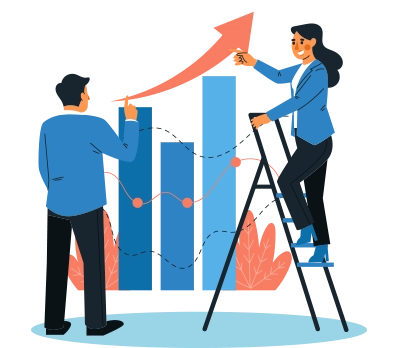
The power of Salesforce in 2026 lies in its ability to automate the “Before, During, and After” of an event within a single platform.
Phase 1: Pre-Event (Strategic Setup & Promotion)
- Centralized Data Setup: Instead of spreadsheets, the event is created as a Campaign Record in Salesforce. All logistics (vendor contracts, speaker bios, session rooms) are stored here.
- AI-Powered Outreach: Salesforce Agentforce identifies potential leads in your CRM. It drafts and sends personalized invites through Marketing Cloud, tracking who opens, clicks, or ignores.
- Dynamic Registration: A Salesforce-native microsite (Experience Cloud) captures registrations. The system automatically populates fields for existing customers and creates “Lead” records for new ones.
Phase 2: During the Event (Execution & Engagement)
- Seamless Check-in: Staff use the Salesforce mobile app or “Smart Badges” to check in guests. This instantly updates the attendee record in the CRM.
- Real-Time Adjustments: If a workshop is reaching capacity, Einstein Analytics alerts the event manager, who can then use Salesforce event automation to send an SMS blast to other attendees suggesting an alternative session.
- On-the-Fly Networking: Using the Salesforce community portal, attendees can view “People You Should Meet” based on shared interests, facilitating B2B connections.
Phase 3: Post-Event (ROI & Relationship Building)
- Automated Follow-ups: As soon as an attendee is marked “Attended,” a Flow triggers a personalized thank-you email containing the slides from the specific sessions they attended. That’s how it helps in Salesforce event tracking.
- Lead Scoring & Routing: The system analyzes attendee behavior. High-scoring leads are automatically routed to the Sales team with a task.
- ROI Reporting: Dashboards pull data from ticket sales, session attendance, and subsequent closed deals to calculate the exact Return on Investment (ROI) of the event.
Examples of Salesforce Clouds Commonly Used for Event Management
Salesforce event tracking provides different clouds that you can choose for event and attendee management according to the scale and goals of your event. Here are some of your picks.
Sales Cloud
Sales Cloud becomes the foundational layer when it comes to event management. Your Contacts, Accounts, and Leads all reside in Salesforce Sales Cloud. It enables sales reps to track the journey and behavior of prospects and attendees. They can access and view every touchpoint related to an active deal. Thus, Sales Cloud acts as the hub to track ROI and revenue associated with any event.
Marketing Cloud & Account Engagement (Pardot)
When you are using Salesforce event automation, Salesforce Marketing Cloud and Pardot will be your communication engines to maintain touch with the attendees and keep them posted about the event. If you are going to run a large scale B2C event, Marketing Cloud could help you to run personalized emails, SMS, and more at high volume. On the other hand, for B2B campaigns, Pardot would be the right pick to achieve the ease for lead scoring and nurturing,
Experience Cloud (Event Portals)
The customers and attendees these days have expectations of premium experience. That’s where Experience Cloud can help teams create dedicated Event Portals to deliver the needed ease with self-service experience to attendees. These portals enable them to access their schedules, session materials, and even interact with the rest of the attendees. These portals would be built directly within Salesforce, so any changes made by attendees in their profile would automatically be updated within Salesforce event management system.
Service Cloud (Attendee Support)
When it comes to events, simply getting the attendees to register won’t get the job done. You need to provide the right platform where you can resolve any of their queries. Service Cloud enables teams to take up these queries and easily resolve all the cases, ensuring no question or query goes unanswered,
Key Takeaway
Successful event management has shifted from a logistical burden to a strategic revenue engine. By moving away from “disconnected silos” (separate tools for email, registration, and data), businesses use Salesforce as a Single Source of Truth to unify the entire event lifecycle. This Salesforce event management system ensures that every attendee interaction is captured as a high-value data point, allowing AI to drive real-time personalization, automate lead nurturing, and provide definitive proof of Return on Investment (ROI) by linking event participation directly to closed sales deals.
Make Salesforce Event Management Your Revenue Catalyst
If you want your event to be a successful one, it majorly depends on one thing, moving away from data in silos and achieving a unified ecosystem for your data.
When planning your event, remember that the purpose of the event is to drive revenue and relationships, not to create chaos. If your data like event activities, attendee behavior, and other details are residing in silos, you would not be able to act on the digital activity of your attendees. This friction can be eliminated by bringing your data over Salesforce and managing your event centrally through a unified system.
Transform your event strategy into a predictable revenue driver today.
Categories

Solve It with Salesforce. We’ll Show You How.
AI. Apps. Experts. Everything you need to win with Salesforce under one roof.FAQs
Can Salesforce be used as an event management system?
Yes, Salesforce is a comprehensive event management solution that centralizes all event data within your CRM, allowing for seamless integration between event activities and customer profiles. While native functionality like Campaigns handles the basics, the Salesforce ecosystem leverages Data Cloud and specialized AppExchange tools to manage everything from multi-tier ticketing to AI-powered attendee networking, ensuring that your event is an extension of your broader sales and marketing strategy rather than a siloed effort.
How do I track event attendance in Salesforce?
Attendance tracking is primarily managed through the Campaign Member status, which updates in real-time as guests interact with your event. This is typically handled via mobile QR code scanning at check-in, RFID-enabled smart badges that track session entry automatically, or self-service kiosks built on Experience Cloud.
Which Salesforce objects are used for events?
The core of Salesforce event management relies on the Campaign object as the primary container, with Campaign Members used to track individual invitees and their statuses. Organizations also utilize Accounts and Contacts for attendee data, the Events (Activity) object for internal scheduling, and custom objects created specifically to manage Sessions, Speakers, Venues, and Sponsorships, ensuring every logistical detail is linked back to the master campaign.
How do I measure event ROI in Salesforce?
Measuring ROI involves utilizing Campaign Influence and Einstein Analytics to bridge the gap between event spend and revenue generated. By logging all event expenses in the "Actual Cost" field of a Campaign and tracking related Opportunities through the pipeline, Salesforce generates real-time dashboards that show the exact "Cost per Lead" and "Pipeline Generated," allowing you to see exactly how much revenue can be attributed to your event efforts.
Can Salesforce automate post-event follow-ups?
Absolutely; Salesforce uses Marketing Cloud to ensure no lead goes cold by triggering automated, personalized journeys the moment an attendee is checked in. This automation goes beyond generic emails, allowing the system to send specific session materials based on an attendee’s actual behavior, assign high-priority follow-up tasks to sales reps based on "Lead Scores," and deliver personalized "Thank You" offers that align with the attendee's interests shown during the event.

About the author
Editorial TeamThe Editorial Team at 360 Degree Cloud brings together seasoned marketers, Salesforce specialists, and technology writers who are passionate about simplifying complex ideas into meaningful insights. With deep expertise in Salesforce solutions, B2B SaaS, and digital transformation, the team curates thought leadership content, industry trends, and practical guides that help businesses navigate growth with clarity and confidence. Every piece we publish reflects our commitment to delivering value, fostering innovation, and connecting readers with the evolving Salesforce ecosystem.
Recent Blogs
 Salesforce Services
Your Current Contact Center is Obsolete- Salesforce Proves It
We’ve all been there: explaining a complex issue to a chatbot, being transferred to a human, and then hearing those dreaded words: “How can I help you…
Read More Salesforce Clouds
Top 10 Salesforce Integration Services to Streamline Your Business in 2026
Disconnected systems represent one of the largest silent killers of business efficiency in 2026. Employees spend a significant portion of their workday switching between apps, manually re-entering data, or searching…
Read More Salesforce Services
Agentforce 360: Salesforce’s AI-Powered Service Console for the Agentic Enterprise
In the last few months, Agentforce 360 has been the gold standard for companies aiming to deliver on the vision of the agentic enterprise. Too often, support…
Read MoreReady to Make the Most Out of Your Salesforce Instance?
Our Salesforce aces would be happy to help you. Just drop us a line at contact@360degreecloud.com, and we’ll take it from there!
Subscribe to our newsletter
Stay ahead with expert insights, industry trends, and exclusive resources—delivered straight to your inbox.
